If you have recently started scanning slides instead of looking through a traditional microscope, you are not alone. Digital pathology is changing the way we diagnose, consult, and store medical data. But with new technology comes a new challenge: billing.
You might be asking yourself: Do I use the same old codes? Is there a special code for a digital slide? Will insurance even pay for this?
Let us be honest. The world of CPT codes is not always exciting. But getting your billing right is essential. You deserve to be paid for your work, and your practice needs to stay compliant.
This guide walks you through everything you need to know about digital pathology CPT codes. We will keep things simple, clear, and friendly. No complicated legal language. No fake news. Just real, practical information you can use today.
What Are Digital Pathology CPT Codes?
First, let us clarify what we are actually talking about.
CPT stands for Current Procedural Terminology. These are the five-digit codes you use to describe medical services to insurers. In pathology, you use CPT codes for things like examining a tissue sample, preparing a slide, or performing a special stain.
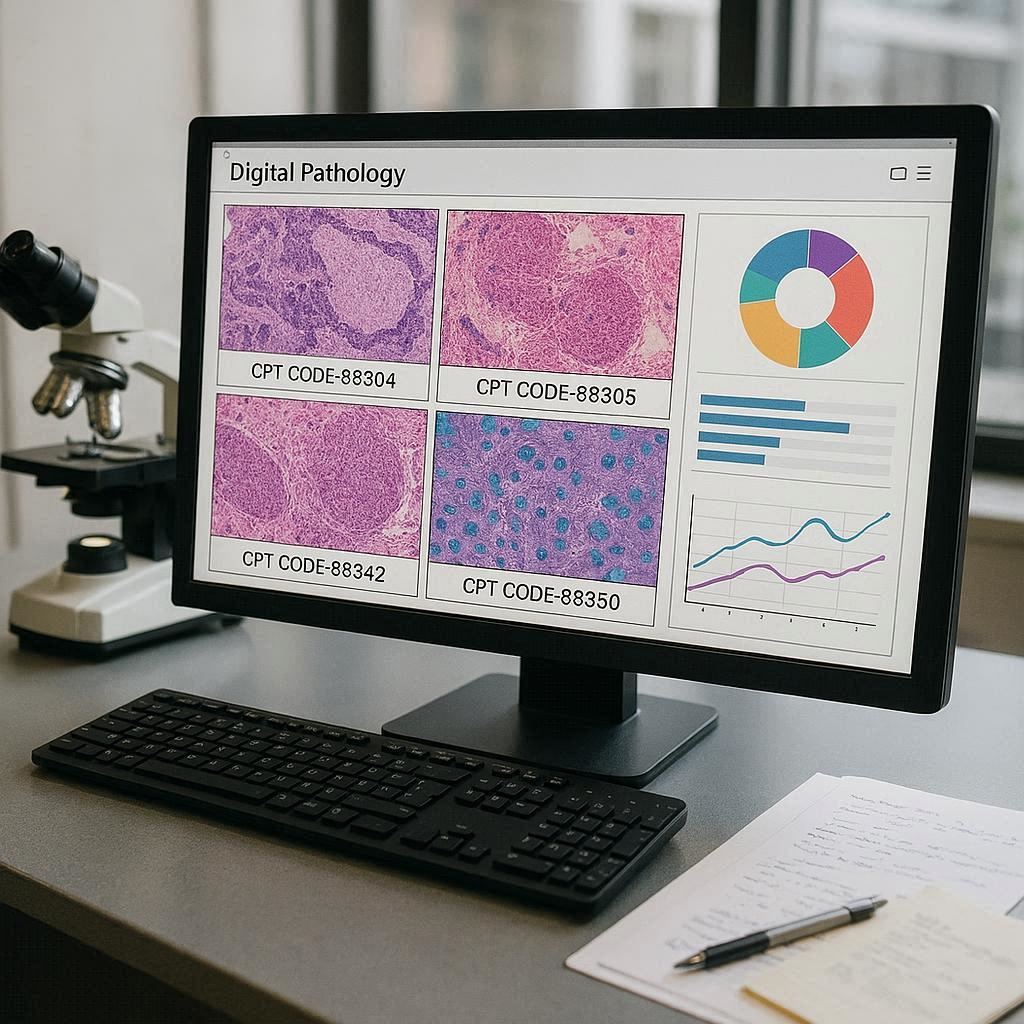
Digital pathology refers to the process of creating high-resolution digital images from glass slides. Instead of placing a slide under a microscope, you scan it. Then you view, analyze, and share the image on a computer screen.
So, what are digital pathology CPT codes?
Important note: There is currently no unique, standalone CPT code that says “digital pathology scan.” Instead, you use existing pathology codes along with specific modifiers and, in some cases, emerging tracking codes.
The American Medical Association (AMA) has not yet created a universal code that separates a digital slide from a glass slide. That means you bill for the clinical service (like interpreting a biopsy) regardless of whether you looked at it on a screen or through a lens.
However, some payers and regional Medicare Administrative Contractors (MACs) have started to recognize additional codes for the technical work of scanning. We will cover those below.
Why Understanding These Codes Matters Today
You might wonder: Can I just keep billing the old way?
Yes and no. You can bill for the professional interpretation using standard codes. But if your lab spends money on scanners, storage, and IT infrastructure, you want to capture those costs. You also want to avoid audits.
Here are three reasons to learn digital pathology coding now:
- Reimbursement accuracy. Some payers allow separate payment for the technical component of digital scanning.
- Compliance. Auditors are starting to ask: “Did you use a digital system? How did you document that?”
- Future-proofing. Within the next three to five years, we will likely see specific digital pathology codes. Being ready now saves headaches later.
Let us break down the actual codes you need to know.
The Core CPT Codes Used in Digital Pathology
Most digital pathology workflows use the same core surgical pathology codes as traditional microscopy. The difference lies in how you document and what modifiers you attach.
Below is a table of the most common CPT codes you will use in a digital pathology setting.
| CPT Code | Description | Typical Use in Digital Pathology |
|---|---|---|
| 88300 | Surgical pathology, gross examination only | Small specimens (e.g., a single polyp). No slide review. Digital scanning not typically needed. |
| 88302 | Gross and microscopic examination | Less complex specimens (e.g., routine tonsil, hernia sac). You can bill this whether you use a microscope or a digital viewer. |
| 88305 | Level IV surgical pathology | The workhorse code. Used for most biopsies: skin, breast, colon, prostate, etc. Very common in digital pathology. |
| 88307 | Level V surgical pathology | More complex specimens (e.g., partial resection of an organ). |
| 88309 | Level VI surgical pathology | Most complex specimens (e.g., total mastectomy, complete organ resection). |
| 88341 | Immunohistochemistry (IHC), first stain | Used when you perform special stains on digital slides. No change in code, but image retention becomes important. |
| 88342 | IHC, first antibody | Similar to above. The digital nature does not change the code. |
| 88360 | Morphometric analysis, tumor immunohistochemistry | Often performed on digital images. You can still use this code if you meet the clinical requirements. |
| G0416 | Surgical pathology, gross and microscopic, for a specific Medicare program | A limited-use code for certain demonstration projects. Check your local MAC. |
A realistic note: 99% of your digital pathology billing will use the same codes as before: 88305, 88307, 88309, and the IHC codes (88341–88350). The digital part is a method, not a separate procedure.
Professional vs. Technical Components: A Key Concept
To understand digital pathology billing, you must understand the difference between two things:
- Professional Component (PC): The pathologist’s cognitive work. Looking at the images, interpreting findings, writing the report.
- Technical Component (TC): The hands-on work. Processing the tissue, cutting the slide, staining, and—in digital pathology—scanning the slide and storing the image.
In traditional pathology, TC covers glass slide preparation. In digital pathology, the TC should also cover the scanning process, server storage, and image access.
How do you bill them?
You can bill a complete service (global) or separate components using modifiers.
- Modifier 26 = Professional component only.
- Modifier TC = Technical component only.
Example: A large lab scans slides for a small rural hospital. The hospital pathologist reads the digital images remotely.
- The lab bills the TC using the appropriate surgical pathology code (e.g., 88305-TC).
- The pathologist bills the PC using the same code (88305-26).
Some payers, however, do not accept modifier TC for digital scanning yet. You must check each contract.
Quote from a billing expert: “The biggest mistake I see is labs billing TC for scanning without a payer-specific policy. Just because you scanned it doesn’t mean you’ll get paid for it. Always verify first.”
Emerging Codes: G-Codes and HCPCS for Digital Pathology
You may have heard rumors about special “digital pathology codes.” In most cases, these are not permanent CPT codes. They are temporary G-codes (used by Medicare) or HCPCS Level II codes.
The most important one to know: G0416
G0416 is a code used in certain Medicare demonstration projects for digital pathology. It specifically describes surgical pathology services that use whole slide imaging (WSI).
- What it covers: Gross and microscopic examination of a specimen using digital images.
- Where it applies: Only in specific geographic areas or pilot programs.
- Reimbursement: Typically higher than traditional 88305 to account for scanning costs.
Critical warning: Do not use G0416 unless your local Medicare Administrative Contractor (MAC) explicitly tells you to. Using it incorrectly leads to denials or audits.
The future: HCPCS code P2025 (not yet active)
As of this writing, there is a proposed HCPCS code for digital pathology data storage and management. It is not yet finalized. Stay tuned to the AMA and CMS websites for updates.
For now, assume you will use 88305 as your baseline and add modifiers or G-codes only when permitted.
Billing for Remote Digital Pathology Reading
One of the greatest benefits of digital pathology is the ability to work from anywhere. A pathologist in Boston can read a slide scanned in rural Montana.
But from a coding perspective, location matters.
Same state, different city
If you work remotely but within the same state, you generally use the same CPT codes and modifiers as if you were in the lab. No extra code is needed.
Different state (telepathology across state lines)
This becomes trickier. You still use the same pathology codes (e.g., 88305). However, you may need to:
- Add a telehealth modifier (if required by the payer). Some commercial insurers use modifier 95 for synchronous telemedicine. But pathology is often asynchronous (store-and-forward). Modifier 95 may not apply.
- Check state licensure. You must be licensed in the state where the patient is located.
- Use place of service (POS) codes correctly.
- POS 11: You are in an office or lab.
- POS 02: Telehealth (rarely used for pathology).
For most digital pathology remote reading, use the standard POS code for where the service was ordered (usually the lab or hospital). Do not use POS 02 unless the payer’s policy explicitly requires it.
Realistic Reimbursement Scenarios
Let us walk through three common situations. These examples are based on current Medicare rates and typical private payer behavior. Remember: rates vary by region and contract.
Scenario 1: In-house digital pathology
Setting: A hospital lab buys a scanner. The pathologist works in the same building. They scan slides and read them on a monitor.
- Code used: 88305 (for a typical skin biopsy)
- Modifier: None (global service)
- Reimbursement: Approximately 45–65 (professional + technical together)
- Documentation note: No special code. But keep a log of scanned slides in case of audit.
Scenario 2: Central lab scanning for remote pathologists
Setting: A large reference lab scans slides. A group of remote pathologists (different location, same state) reads them.
- Lab bills: 88305-TC (approx 25–35)
- Pathologist bills: 88305-26 (approx 25–30)
- Total reimbursement: Similar to global fee, but split between two entities.
Scenario 3: Medicare demonstration project using G0416
Setting: A lab in a MAC region that allows G0416 for digital pathology. The pathologist reads a digital breast biopsy.
- Code used: G0416
- Reimbursement: Approximately 75–90 (higher than 88305 to cover scanning and storage)
- Documentation: Must state that the diagnosis was made from a digital whole slide image, not a glass slide.
Documentation Requirements You Cannot Ignore
Payers will not simply trust that you used digital pathology. You need proof. Good documentation protects you during an audit.
Here is a checklist of what to include in your report or lab records for every digital pathology case:
- A statement that the slide was scanned into a whole slide image (WSI).
- The name of the scanner and software version (for internal records).
- Confirmation that the digital image was of diagnostic quality.
- A note that the glass slide is retained (or not) per your lab’s policy.
- For remote reads: The physical location of the pathologist and the location of the scanner.
- For G0416 (if used): Explicit mention of “digital pathology” or “whole slide imaging” in the final report.
Simple rule: If you want to be paid for digital pathology, write it down. Do not assume the code alone tells the story.
Private Payer Policies: A Fragmented Landscape
Medicare has regional variability. But private payers? They are all over the map.
Here is what you will encounter:
| Payer Type | Typical Policy on Digital Pathology Codes |
|---|---|
| Traditional Medicare (fee-for-service) | No national policy. Some MACs accept G0416. Most expect standard codes (883xx). |
| Medicare Advantage | Varies by plan. Some copy MAC policies. Others ignore digital pathology entirely. |
| Blue Cross Blue Shield (various states) | No specific digital codes. Use standard CPT. Do not bill extra for scanning. |
| UnitedHealthcare | No unique codes. Consider scanning part of TC. No separate reimbursement yet. |
| Aetna | Similar to UHC. No specific digital pathology codes as of 2025. |
| Cigna | Follows standard CPT. Digital method does not change the code. |
| Regional commercial payers | Some have pilot programs. Call and ask for their telepathology or digital pathology policy. |
What should you do?
- Do not assume. Never assume a payer accepts extra reimbursement for scanning.
- Ask in writing. Send a email to your payer representative: “Do you reimburse for the technical component of digital whole slide imaging separately?”
- Read your contract. Look for exclusions related to “telepathology” or “digital image storage.”
- Start with standard codes. In 90% of cases, billing 88305 is safe and correct.
Common Billing Mistakes and How to Avoid Them
Even experienced billers make errors with digital pathology. Here are the most frequent ones and how to fix them.
Mistake #1: Billing G0416 outside of a demonstration project
What happens: Denial or recoupment of funds.
How to avoid: Check your MAC’s website monthly. Do not use G-codes unless you have written approval.
Mistake #2: Using Modifier 95 for asynchronous digital pathology
What happens: Confusion. Modifier 95 is for real-time interactive telemedicine. Digital pathology is store-and-forward.
How to avoid: Do not use modifier 95 for digital pathology unless a specific payer demands it. Most do not.
Mistake #3: Failing to document the digital method
What happens: In an audit, you cannot prove you performed digital pathology. The payer may downcode or deny.
How to avoid: Add a standard line to every report: “This case was reviewed using digital whole slide imaging (scanned slides).”
Mistake #4: Billing TC for scanning when the payer bundles it
What happens: Denials. Or worse, accusations of unbundling.
How to avoid: For Medicare, the TC component of 88305 already includes slide preparation. It does not automatically include scanning. But many private payers consider scanning part of TC. Call to verify.
Mistake #5: Forgetting to retain glass slides
What happens: If a payer requires glass slide retention for re-review and you discarded them, you could lose appeal rights.
How to avoid: Know your CLIA and state requirements. Many labs keep glass slides for at least 10 years.
The Difference Between Whole Slide Imaging (WSI) and Telepathology
People often use these terms interchangeably. But they are different. Understanding the difference helps you choose the right code.
| Term | Definition | Typical CPT Code |
|---|---|---|
| Whole Slide Imaging (WSI) | Scanning an entire glass slide to create a digital image. Used for primary diagnosis. | Same as traditional pathology (e.g., 88305) + possibly G0416 if allowed. |
| Telepathology | Transmitting pathology images (static or real-time) for remote consultation. Often used for frozen sections. | 88321 (consultation) or 88333 (frozen section) depending on the service. |
If you use WSI for routine diagnosis, you are doing digital pathology. If you send a few static images to a colleague for a second opinion, you are doing telepathology. The codes differ.
Important: For a second opinion using digital images, use the appropriate consultation code (88321–88325). Do not use a surgical pathology code for a consult.
Future Trends: What to Expect in the Next 3–5 Years
Digital pathology coding is evolving fast. Here is what is coming (based on AMA and CMS public statements).
1. A dedicated digital pathology CPT code
The AMA’s CPT Editorial Panel is actively discussing this. Expect a proposed code within two to three years. It will likely separate the scanning and storage work from the professional interpretation.
2. Separate reimbursement for image storage
Pathology labs spend real money on petabytes of storage. Future codes may allow a monthly or per-slide storage fee.
3. AI-assisted digital pathology codes
When an AI algorithm reviews a digital slide before the pathologist, will that be a separate code? Possibly. The AMA has already created AI-specific CPT codes (e.g., 0664T for AI in radiology). Pathology will follow.
4. CMS national coverage determination (NCD)
Currently, digital pathology for primary diagnosis has no national coverage policy. An NCD would clarify once and for all which codes to use and when. Watch the CMS website for announcements.
Until then, stick with the guidance in this article. Use standard codes. Document everything. Verify with local payers.
A Step-by-Step Billing Workflow for Digital Pathology
Let us put it all together. Here is a simple workflow you can implement in your lab or practice starting tomorrow.
Step 1: Receive and process the specimen
- Use normal grossing and processing protocols.
Step 2: Prepare glass slides
- Standard histology. No change.
Step 3: Scan the slides
- This is the new step. Record in your LIS that scanning occurred.
Step 4: Pathologist views digital images
- Pathologist logs into the viewer platform.
Step 5: Pathologist dictates report
- Crucial: Include a phrase like “Examined via digital whole slide imaging.”
Step 6: Generate the bill
- Use the appropriate surgical pathology code (e.g., 88305).
- Do not add any special digital modifier unless required.
- Do add modifier 26 if billing only professional component.
- Do add modifier TC if billing only technical component and payer allows.
Step 7: Submit claim
- Use standard POS code (usually 11 or 24).
Step 8: Keep supporting records
- Store a copy of the digital image or a pointer to its location.
- Keep glass slides per your retention policy.
Step 9: If denied, appeal with documentation
- Provide the payer with your report showing the “digital whole slide imaging” statement.
- Attach payer-specific policy if one exists.
Important Notes for Readers
Before we wrap up, here are five key takeaways to remember.
Note 1: No single “digital pathology CPT code” exists for routine use. Use standard codes unless you are in a specific pilot program.
Note 2: Do not bill for scanning unless you have explicit payer permission. Most payers consider scanning part of the technical component.
Note 3: Always document the digital method in your report. This protects you during audits.
Note 4: Glass slides still matter. Keep them. Some payers may demand a re-review on the original glass.
Note 5: When in doubt, call your local MAC or payer representative. Get their policy in writing.
Frequently Asked Questions (FAQ)
Q1: Is there a specific CPT code for digital pathology?
No. As of 2026, there is no standalone CPT code for digital pathology. You use the same codes as for glass slide microscopy (e.g., 88305, 88307). Some Medicare demonstration projects use G0416, but that is not widely available.
Q2: Can I bill separately for scanning a slide?
In most cases, no. Most commercial payers and Medicare consider scanning part of the technical component of the surgical pathology code. However, a few regional pilots allow extra reimbursement. Always check your contract.
Q3: What modifier do I use for remote digital pathology reading?
For most payers, no special modifier is needed for asynchronous digital pathology. Do not use modifier 95 (telehealth) unless required. Use standard modifier 26 if billing only the professional component.
Q4: How do I document digital pathology in the medical record?
Add a clear statement to your pathology report. For example: “This case was reviewed using digital whole slide imaging (scanned slides).” Also keep internal records of the scanner used and image quality checks.
Q5: Will insurance deny my claim if I use digital pathology?
Not if you use the correct CPT codes. Insurance does not generally deny claims just because you used a digital method. The key is using the right code (e.g., 88305) and documenting properly. Denials happen when you use unapproved G-codes or unbundle services.
Q6: Do I need to keep glass slides after scanning?
Yes, in most cases. CLIA regulations and many state laws require you to retain glass slides for a minimum period (often 10 years). Digital images are an additional record, not a replacement, for medicolegal purposes.
Q7: What is the difference between 88305 and G0416?
88305 is the standard CPT code for a Level IV surgical pathology exam. It does not specify the method (microscope or digital). G0416 is a temporary G-code used in certain Medicare demonstration projects specifically for digital whole slide imaging. Do not use G0416 without authorization.
Q8: Can I use digital pathology for frozen sections?
Yes, but be careful. For frozen sections, you typically use 88331 or 88333. If you use digital images (e.g., a live video feed or scanned frozen slide), the code does not change. However, many pathologists prefer a microscope for frozen sections due to speed.
Q9: How do I bill for AI-assisted digital pathology?
Currently, there is no specific CPT code for AI in pathology. You bill the standard pathology code for the service. The AMA has created AI codes for other specialties, so pathology-specific codes are likely in the future.
Q10: Where can I find my local MAC’s digital pathology policy?
Go to the CMS website and search for your MAC (e.g., Noridian, Novitas, Palmetto). Then search their site for “digital pathology,” “whole slide imaging,” or “G0416.” You can also call their provider line.
Additional Resource
For the most current and official information on digital pathology coding, bookmark and regularly check the following resource:
🔗 College of American Pathologists (CAP) – Digital Pathology Resource Center
URL: https://www.cap.org/digital-pathology
The CAP offers:
- Free coding fact sheets for members.
- Updates on AMA CPT changes.
- Policy templates for digital pathology validation.
- Links to each Medicare MAC’s local coverage determinations.
Note: Always verify any code or policy directly with the payer. Medical billing rules change frequently.
Conclusion (Summary in Three Lines)
Digital pathology does not yet have its own unique CPT code, so you will rely on standard codes like 88305 while adding clear documentation of the digital method. Always verify payer policies before billing for scanning or using demonstration project codes like G0416. Protect your practice by documenting “digital whole slide imaging” in every report and retaining glass slides for the required period.
Disclaimer: This article is for educational and informational purposes only. It does not constitute legal or billing advice. CPT codes, payer policies, and reimbursement rates change frequently. Always consult with a certified medical coder or your local payer before submitting claims.