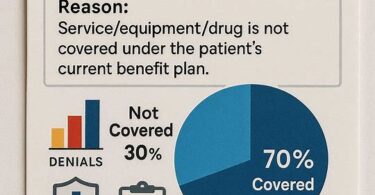
A claim lands on your desk with a bright red stamp: Denied. Your eyes scan down to the reason code. Denial Code 119. For many medical billers and practice managers, those three words trigger a familiar sinking feeling. You know the claim requires attention, but the path forward feels murky. What does the payer actually want? How do you fix it? And most importantly, how can you stop this denial from appearing again and again, draining your team’s time and your practice’s revenue?
We created this guide to answer every question you have about Denial Code 119. We will walk through the exact meaning of this code, the real-world reasons payers apply it, and the proven strategies that successful billing teams use to resolve and prevent it. By the time you finish reading, you will have a clear, actionable plan. No fluff. No copied textbook definitions. Just practical wisdom from the trenches of modern revenue cycle management.
Understanding Denial Code 119: A Clear Definition
Before you can fix a problem, you must understand it completely. So, what exactly does Denial Code 119 signal?
Denial Code 119 falls under the umbrella of Claim Adjustment Reason Codes (CARCs), which payers use to communicate specific decisions about a claim. The official description for this code reads:
“Benefit maximum for this time period or occurrence has been reached.”
Let’s break that down into plain language. The insurance company tells you that the patient’s health plan has a cap on a particular service, and that cap has been fully exhausted. Think of it like a financial ceiling for a specific benefit category. The patient has hit their head on that ceiling. No more funds remain for that service within the defined timeframe. The payer will not cover any additional charges, and the financial responsibility typically shifts to the patient.
This code does not mean you made a coding error. It does not indicate missing information or an eligibility problem. It points squarely to the patient’s benefit structure. Understanding this distinction immediately changes your approach to resolution.

The Core Message Behind the Code
When you see Denial Code 119, the payer communicates several layers of information simultaneously. First, they confirm the patient had active coverage on the date of service. That’s good news—an eligibility issue would create a completely different path. Second, they acknowledge that the specific service you billed falls within a category subject to a benefit limit. Third, they assert that the patient has already consumed that entire limit.
Common categories with benefit maximums include physical therapy visits, chiropractic adjustments, mental health counseling sessions, home health care hours, and certain diagnostic imaging. Some plans cap the dollar amount spent on durable medical equipment per year. Others limit the number of specific procedures or treatment days.
The Real-World Impact of Denial Code 119 on Your Revenue Cycle
A single denial might seem like a minor inconvenience. But when you multiply that inconvenience across hundreds of claims, the financial impact becomes staggering. Denial Code 119 represents a particular category of revenue leakage because it often goes unchallenged. Billing staff may assume the denial is correct, write off the balance, and move on. Sometimes, that instinct is right. But in many cases, a deeper investigation reveals opportunities to recover payment.
Quantifying the Financial Drain
Consider a mid-sized physical therapy practice. Let’s say they submit 500 claims per month. A conservative denial rate of 5% means 25 denials monthly. If even five of those carry Code 119, and the average charge per claim is $200, the practice faces $1,000 in potential lost revenue each month. That’s $12,000 annually from a single denial code. Now, imagine a larger multi-specialty group. The numbers multiply quickly.
Beyond the direct dollar loss, you must account for the hidden costs. Staff time spent researching benefits, calling payers, drafting appeal letters, and communicating with patients chips away at your operational efficiency. Every minute your team devotes to rework is a minute not spent on current claims or patient-facing tasks. Industry research suggests the average cost to rework a denied claim ranges from $25 to $35. Those costs add up fast, silently eroding your bottom line.
The Patient Relationship Angle
We must also consider the human element. When a patient receives an unexpected bill because their insurance denied a claim under Code 119, they often feel confused and frustrated. They may not remember learning about these benefit limits when they signed up for their plan. The surprise bill can damage the trust you have built with that patient. They might blame your practice, even though the denial originates from their insurance policy’s design. Handling these situations with empathy and clarity protects your reputation and your patient relationships.
Why Denial Code 119 Occurs: The Root Causes
Payers do not randomly apply this denial. A specific set of circumstances triggers it. By understanding these root causes, you can build better processes to catch issues before claim submission and handle denials efficiently when they arise.
1. True Exhaustion of Benefits
This represents the straightforward scenario. The patient genuinely used up all their covered visits, days, or dollars for the benefit period. For example, a health plan might allow 30 physical therapy visits per calendar year. Your patient, an avid runner recovering from a knee injury, diligently attends sessions. By October, they complete visit number 31. The claim for that visit will likely receive a Denial Code 119. The payer’s records show the benefit bucket is empty. No error occurred. The system worked as designed.
In this situation, your resolution path typically involves billing the patient, provided you obtained proper Advance Beneficiary Notice (ABN) or similar waiver documentation beforehand. We will explore that process in detail later.
2. Incorrect Front-End Data Entry
This cause is both common and entirely preventable. When your front desk team registers a patient or checks insurance eligibility, they enter data into your practice management system. A simple transposition of digits in the subscriber ID, a misspelled name, or the wrong date of birth can wreak havoc. If your system submits the claim with inaccurate demographic data, the payer’s system may not correctly match the patient to their benefit accumulator. The payer might see zero benefits used for the incorrectly entered member, but a different system logic might still flag the claim because the service looks like it exceeds a generic limit. Alternatively, the claim could be matched to a different policy altogether, one with a $0 or exhausted benefit for that service. The root cause wasn’t a true limit; it was a data mismatch.
3. Payers Applying a Different Benefit Period Than You Expect
This cause trips up even experienced billers. You might track benefits on a calendar year basis: January 1 through December 31. The payer, however, might operate on a plan year that runs from July 1 to June 30. Or they might define the benefit period based on the patient’s date of enrollment. Some payers use a “rolling year” or “look-back period,” such as the last 12 months from the current date of service. You believe the patient has four remaining visits based on your calendar. The payer believes the bucket reset in July, and the patient exhausted the new bucket by September. This misalignment leads to a denial that feels wrong but is technically correct under the payer’s rules.
4. Accumulator versus Manual Tracking Discrepancies
Your practice may manually track the number of visits a patient uses. The front desk staff or a medical assistant keeps a running tally on a paper log or in a spreadsheet. However, the payer maintains an electronic accumulator that counts each claim processed, including those for different providers. Your manual count might not capture visits the patient had at another practice, with a specialist, or even at an urgent care center that billed under a similar service category. When your count says five visits remain and the payer’s count says zero, the denial on the sixth claim shocks your billing team.
5. Bundled Services and Code Editing Logic
Some payers use sophisticated claim editing software that groups specific CPT codes together under a single benefit category. You might bill a service using a code you believe falls outside the capped benefit. The payer’s system, however, maps that code into the capped category because of clinical similarities or bundling rules. For instance, you bill for a therapeutic activity (97530), thinking it tracks separately from therapeutic exercise (97110). The payer’s edits consider both codes part of the “physical medicine” benefit bucket, which has a combined limit of 20 visits. Your claim for 97530 triggers Denial Code 119 because the combined total of 97110 and 97530 visits reached 20. The denial reason surprised you because you tracked the codes in separate buckets.
6. Coordination of Benefits (COB) Confusion
When a patient holds multiple insurance policies, the coordination of benefits determines which payer covers what portion of the claim. If the primary payer exhausts the benefit, the secondary payer might apply their own limit. Or, the secondary payer might deny the claim with Code 119, stating that under their COB rules, the benefit maximum has been reached because they consider the primary’s payments as part of the total limit. This area gets complex quickly. Resolving it requires a clear understanding of each payer’s COB provisions and the specific benefit limits of both the primary and secondary plans.
7. Payer Processing Errors
Yes, insurance companies make mistakes. Their systems may fail to correctly credit a patient’s deductible or out-of-pocket payments, causing the accumulator to appear exhausted when it shouldn’t be. A claim might process out of date sequence, so a later date of service processes before an earlier one, filling the benefit bucket prematurely. System glitches, outdated plan configurations, and human error on the payer side all contribute to erroneous denials. You should never assume a denial is automatically correct. Healthy skepticism and verification protect your revenue.
How to Identify Denial Code 119 Accurately in Your System
Spotting this denial early and correctly categorizing it sets the stage for effective resolution. Your team needs clear protocols for reviewing remittance advice and payer correspondence.
Reading the Electronic Remittance Advice (ERA)
The ERA contains the standardized codes that tell the claim’s story. Look for the Claim Adjustment Reason Code (CARC) 119 within the 835 transaction. It may appear at the claim level or the service line level. Pay close attention to the Group Code associated with the CARC. The group code tells you who bears financial responsibility.
- Group Code CO (Contractual Obligation): This code indicates the provider must write off the denied amount. You cannot bill the patient. This situation typically arises when you fail to obtain a required ABN or when your contract with the payer stipulates you absorb costs for services beyond the benefit limit.
- Group Code PR (Patient Responsibility): This code signals that the financial responsibility shifts to the patient. You may bill the patient for the denied amount. This outcome assumes you followed proper notification procedures, such as issuing an ABN for Medicare patients or a similar notice for commercial patients.
- Group Code OA (Other Adjustment): This code is less common for benefit exhaustion but can appear. It usually requires no action from you beyond posting the adjustment.
Incorrectly interpreting the group code can lead to compliance violations or revenue loss. Always double-check before sending a patient statement.
Spotting Patterns in Your Denial Data
A single Denial Code 119 might be a random occurrence. A cluster of these denials demands immediate attention. Run monthly reports in your practice management system or billing software. Filter denials by reason code 119. Then, look for patterns. Do the denials cluster around a specific payer? A particular provider within your practice? A common CPT code? A specific insurance plan? Identifying a pattern points you toward the systemic root cause. For example, if 80% of your Code 119 denials come from a regional Blue Cross plan for physical therapy codes, you may need to negotiate your contract’s definition of the benefit period or improve your eligibility verification process for that specific payer.
Step-by-Step Guide to Resolving Denial Code 119
Now we move from analysis to action. Follow this systematic process to work through any Denial Code 119 you encounter. Adapt the steps as needed based on your specific payer, patient, and situation.
Step 1: Do Not Immediately Write Off the Balance
The single biggest mistake billing teams make with Code 119 is automatic write-off. Stop. Pause. Breathe. View the denial as a question, not a final answer. The payer claims the benefit maximum is reached. Your job is to verify whether that claim holds true. Blindly accepting the denial leaves money on the table and masks systemic problems in your revenue cycle.
Create a culture where staff feel empowered to question denials. Celebrate the wins when a denied claim gets overturned after thorough research. Those recovered dollars represent pure profit for the practice.
Step 2: Verify Patient Demographics and Insurance Information
Begin with the basics. Pull up the patient’s account in your system. Check the subscriber name, date of birth, subscriber ID, group number, and relationship code. Compare every data point against the information on the insurance card copy you have on file. A single incorrect digit in the ID number can cause the payer’s system to pull the wrong benefit accumulator. If you find a discrepancy, correct it immediately and resubmit the claim. This simple fix resolves a surprising percentage of these denials.
Also, confirm the insurance was active on the date of service. While Denial Code 119 generally implies active coverage, you should still verify. Log into the payer’s provider portal or use your real-time eligibility verification tool. Check the effective and termination dates of the policy. Confirm the patient had the specific benefit type you billed.
Step 3: Review the Patient’s Benefit Details Thoroughly
Dig into the specifics of the benefit limitation. Your eligibility verification should reveal the exact nature of the cap. Do not settle for vague information. You need to know the answers to these questions:
- What is the specific benefit category with the limit? Is it physical therapy, occupational therapy, speech therapy, chiropractic, mental health, or another category?
- What is the unit of measure for the limit? Is it visits, days, dollars, hours, or procedures?
- What is the defined benefit period? Calendar year, plan year, rolling 12 months, episode of care, or lifetime maximum?
- How many units has the patient used according to the payer? Request the exact count and the dates of service that consumed those units.
- Does the payer combine multiple CPT codes under this limit, or are they tracked separately?
You obtain this information by calling the payer’s provider services line, using their secure online portal, or reviewing a detailed eligibility and benefits transaction from your clearinghouse or eligibility vendor. Document everything. Record the reference number for the call, the name of the representative, the date and time, and the exact information provided. This documentation serves as your ammunition if you later discover a discrepancy.
Step 4: Compare the Payer’s Accumulator with Your Own Records
Now, pull your internal tracking. Many practices maintain a manual log, a spreadsheet, or a feature within their EHR that counts visits for patients with limited benefits. Compare your count to the payer’s count. Look for discrepancies.
Did the patient have visits at another practice that you did not know about? Ask the patient directly, in a professional and caring manner. “Mrs. Johnson, our records show you have attended 18 physical therapy sessions with us this year. The insurance company says you have reached 30 sessions total. Have you received therapy at any other facility, such as a hospital outpatient department or a chiropractor’s office?” Often, patients forget about the two sessions they had while traveling or the evaluation they had with a surgeon that included a therapy code. Discovering these additional visits explains the denial and shifts your focus to patient billing.
What if your count and the payer’s count match, but you both agree the limit has not been reached? This situation signals a payer processing error. You will need to escalate.
Step 5: Determine Payer Responsibility by Checking the Group Code
Revisit the ERA. Confirm the group code attached to CARC 119. This code dictates your next steps.
If the group code is PR (Patient Responsibility), you can move toward billing the patient, but only if you have a valid ABN or similar waiver on file. We will cover the ABN process comprehensively in a later section.
If the group code is CO (Contractual Obligation), you cannot bill the patient. You must write off the balance. However, before you finalize the adjustment, confirm that the denial is truly correct. If you suspect a payer error, appeal the denial. A successful appeal changes the group code to PR or results in payment, both better outcomes than a write-off.
Step 6: Contact the Payer for Clarification When Necessary
Sometimes, the ERA and the portal information leave gaps. You need a human conversation. When you call, be prepared and professional. Have the patient’s information, the claim number, and your specific questions ready.
Start the conversation with a clear, concise statement. “I am calling about claim number [X] for patient [Y], which was denied with CARC 119 indicating the benefit maximum was reached. I have reviewed the patient’s benefits and our internal records. I believe the denial may be an error, or I need additional details to understand the patient’s responsibility. Can you help me review the benefit accumulator details for this service?”
Take detailed notes during the call. Ask the representative to document your conversation in their system and provide a reference or ticket number. If the representative confirms the denial is correct, ask them to explain the benefit limitation clearly and provide the specific dates and providers that exhausted the benefit. If the representative indicates the denial is incorrect, ask them to reprocess the claim or initiate an adjustment. Follow up in writing if possible.
Step 7: Appeal the Denial When You Have Grounds
If your research uncovers a clear payer error, do not hesitate to file a formal appeal. An effective appeal is not a nasty letter demanding payment. It is a professional, fact-based document that tells a compelling story.
Elements of a Winning Appeal Letter for Denial Code 119:
- Header Information: Include your practice name, address, NPI, tax ID, and contact information. Include the patient’s name, subscriber ID, claim number, and date of service.
- Clear Subject Line: “Formal Appeal of Denial Code 119 – Claim [Number] – Patient [Name] – Date of Service [Date]”
- Statement of Dispute: Open with a direct sentence stating your disagreement. “We are formally appealing the denial of the above-referenced claim, which was denied with Claim Adjustment Reason Code 119, indicating the benefit maximum for this time period has been reached. Our records and the payer’s own benefit information contradict this determination.”
- Factual Narrative: Present the facts. State the patient’s benefit limit as you understand it from the payer’s website, provider manual, or a previous conversation with provider services. Provide the dates and units of service you have provided. Provide the benefit accumulation information you received during your research call. Quote the reference number and representative name if available.
- Supporting Documentation: Attach relevant records. Include a copy of the original claim, the ERA showing the denial, the patient’s insurance card, any prior authorization or referral documents, medical records demonstrating medical necessity, and a copy of the signed ABN if applicable. If the payer provided a benefit summary during a call, include a screenshot or written summary.
- Specific Request: State exactly what you want. “We request that the payer reprocess this claim, apply the correct benefit accumulation, and issue payment for the covered service, or provide a corrected group code of PR with a detailed explanation so we may appropriately bill the patient.”
- Professional Closing: Thank the reviewer for their time and attention. Provide your contact information for any questions.
Send the appeal via certified mail or a trackable electronic submission method. Keep copies of everything. Note the deadline for appeals in your payer contract. Missing a timely filing deadline for an appeal closes the door forever.
Step 8: Bill the Patient Responsibly When Appropriate
When the group code is PR and you have a valid ABN (for Medicare) or a similar financial waiver (for commercial payers), you may bill the patient. This step requires tact and transparency.
Never surprise a patient with a bill. Before sending the statement, consider calling the patient. Explain that their insurance company has denied the claim because they have used all their covered visits for the year. Remind them of any conversation or signed notice they received earlier in their treatment when they were approaching or had reached the limit. This proactive conversation reduces anger and confusion. It also gives the patient a chance to ask questions and make payment arrangements.
When you send the statement, include a clear but concise explanation of the denial. A line item stating, “Your insurance plan has a limit of [X] visits per year. This visit exceeds that limit. The balance is your responsibility.” This transparency builds trust and shows you are not simply dumping a bill on them.
Discuss payment options. Some patients may be able to use a Health Savings Account (HSA) or Flexible Spending Account (FSA) to pay the balance. Others may need a short-term payment plan. Accommodating reasonable requests preserves the patient relationship and improves your likelihood of collecting the balance.
The Crucial Role of the Advance Beneficiary Notice (ABN) for Medicare Patients
For Medicare beneficiaries, the Advance Beneficiary Notice of Noncoverage (ABN) is not optional; it is a regulatory requirement if you want to bill the patient for a service you reasonably believe Medicare will deny as not medically necessary or for exceeding benefit limits. Denial Code 119 for a Medicare patient almost always triggers the need for an ABN if you intend to collect from the patient.
What an ABN Is and Why It Matters
The ABN is a written notice you give to a Medicare beneficiary before providing a service that Medicare likely will not cover. The form explains why you believe Medicare will deny the service and gives the patient the option to accept financial responsibility and receive the service or decline the service. Without a properly executed ABN, you cannot bill the patient for the denied service. You must write off the balance.
The ABN empowers the patient with choice. They receive the information they need to make an informed financial decision. For your practice, the ABN protects your right to payment from the patient when Medicare rightly denies the claim under its coverage rules.
When to Issue an ABN Related to Denial Code 119
You should issue an ABN when you know or have reason to believe the patient has reached or will reach their benefit maximum. This often happens during a course of ongoing treatment. Your physical therapist provides care to a Medicare patient. After 10 visits, your benefit tracking shows the Medicare cap of $2,150 for physical therapy and speech-language pathology combined services is approaching. Before visit 11, you present the patient with an ABN explaining that Medicare may not cover additional services beyond the cap unless you can apply the automatic exception for medically necessary services.
You must use the official CMS ABN form (Form CMS-R-131). You must fill it out completely, including the specific reason you believe Medicare will not pay (Denial Code 119, benefit maximum reached), and an estimate of the cost for the noncovered service. The patient signs and dates the form. You provide a copy to the patient and retain the signed original in your records.
How to Complete the ABN Correctly
The form has several blanks you must fill out. Your practice name and address go in the top section. The patient’s name and identification number follow. In the body of the form, you explain the specific items or services at issue. For Denial Code 119, you might write: “Physical therapy services beyond Medicare’s annual therapy cap.” In the reason section, state: “Medicare does not typically pay for these services because I believe Medicare will find that the benefit maximum for this time period has been reached (Denial Code 119).” Sign the form, have the patient sign, and date it.
If you fail to issue a valid ABN before providing the service, you cannot collect from the patient. You absorb the cost. This rule makes ABN compliance a priority for any practice that routinely treats Medicare beneficiaries near their benefit limits.
Handling Denial Code 119 for Commercial Payers: Waivers and Notifications
Commercial payers do not use the Medicare ABN form. However, the concept of patient notification and financial responsibility remains critical. Your contracts with commercial payers may contain provisions about noncovered services and patient billing. Some contracts explicitly prohibit balance billing for services denied because of benefit exhaustion. Others allow it, provided you informed the patient in advance.
Creating an Effective Financial Policy and Waiver
Develop a clear, written financial policy for your practice. Provide this policy to every patient at registration. Include language that explains benefit limits and the patient’s responsibility for services exceeding those limits. Have the patient sign an acknowledgment of the policy.
In addition to the general financial policy, create a specific notification form for situations where you know the benefit limit is approaching or has been reached. This form should state:
- The specific service to be provided.
- The reason you believe the insurance plan may not cover the service (e.g., “Your plan has a limit of 20 physical therapy visits per calendar year, and you have already completed 20 visits.”)
- An estimate of the charges for the service.
- The patient’s agreement to accept financial responsibility if the insurance denies the claim.
- The patient’s signature and date.
While not a legally mandated form like the Medicare ABN, this commercial waiver protects your practice against disputes. It shows the patient you communicated the potential financial obligation transparently. If the patient later claims they did not know the service would not be covered, you have their signed acknowledgment.
When You Cannot Bill the Patient
Some payer contracts contain a hold harmless clause. This clause states that you will not bill the patient for any covered service, even if the payer denies the claim due to benefit exhaustion, unless you obtained specific written consent. Read your contracts carefully. If your contract prohibits balance billing for these denials, your only recourse is to appeal the denial with the payer or write off the balance. Billing the patient in violation of your contract can lead to serious consequences, including termination from the payer’s network.
Comprehensive Prevention Strategies: Stop Denial Code 119 Before It Happens
Resolving denials is necessary. Preventing them is better. The most efficient billing operations invest heavily in proactive strategies that stop Denial Code 119 at the front end of the revenue cycle.
Revolutionizing Your Eligibility Verification Process
Real-time eligibility verification transforms your defense against this denial. Gone are the days of calling every payer before every visit. Modern clearinghouses and revenue cycle platforms integrate directly with payer systems. With a few clicks, you can pull a detailed eligibility and benefits summary. This summary should include the specific benefit limits for the services your practice provides. Set a standard that every patient’s eligibility gets verified at least 48 hours before their appointment, with a final verification on the morning of the visit.
But simply verifying eligibility is not enough. You must verify the correct details. Train your team to look beyond the “Active” status. They must locate the benefit accumulator section. They must note the number of visits used, the number remaining, and the benefit period. If the portal shows the patient has used 28 of 30 allowed visits, that information must flow to the clinical team and the front desk so the patient can be notified well before the final visit.
Building an Internal Tracking System That Works
Relying on the payer’s accumulator alone is risky. Payers make mistakes. Their data can lag. You need your own accurate, up-to-date record of the services you have provided. For most practices, a simple solution works best.
Create a structured log, either within your EHR system or in a shared, secure spreadsheet. For each patient with limited benefits, log the date of service, the specific CPT codes billed, and the units provided. Update this log immediately after each visit. Designate one person on your team as the benefit tracker owner. This person regularly runs reports to identify patients nearing their limits and coordinates with the front desk and clinical team to issue ABNs or commercial waivers.
Compare your internal log with the payer’s accumulator at least monthly. When you find a discrepancy, investigate immediately. Early detection of a mismatch allows you to correct problems before you submit the claim that will be denied.
Strengthening Patient Communication at the Point of Care
The front desk staff, medical assistants, and providers all play roles in communicating benefit limits to patients. Train your entire team on the basics of benefit exhaustion. A medical assistant should be able to glance at the patient’s visit tracker and say, “Mrs. Davis, I see you have used 18 of your 20 covered physical therapy visits this year. After your next two sessions, your insurance may not cover additional visits. You might want to call your insurance company to confirm. Also, we can discuss our self-pay rates for any visits beyond the limit.”
This type of proactive communication builds immense trust. Patients appreciate transparency. They feel respected and informed. They are far less likely to be angry when they eventually receive a bill for a noncovered service because they heard it from your team first.
Negotiating Clearer Contract Terms with Payers
When your contract renewal approaches, bring data. If Denial Code 119 represents a persistent problem with a specific payer, use that data in your negotiation. Ask for clearer definitions of benefit periods. Request that the payer provide detailed, real-time accumulator data through their portal or via electronic transactions. Ask for contract language that protects you when the payer’s accumulator errors cause a denial. Strong practices can sometimes negotiate provisions requiring the payer to reprocess claims within a certain timeframe when they find their own system errors.
You may not win every negotiation point. But raising the issue signals to the payer that you monitor their performance closely. That awareness can sometimes improve their responsiveness.
Payer-Specific Approaches for Denial Code 119
Different payers have different processes, portals, and quirks. Here are specific strategies for some of the major payers.
Medicare and Medicare Advantage Plans
Original Medicare has clearly defined benefit limits, such as the therapy cap rules. The rules include an exceptions process for medically necessary services beyond the cap. When you attach the KX modifier to the claim, you certify that the services are medically necessary, and Medicare will typically pay beyond the cap up to a certain threshold. A Denial Code 119 from Medicare for a claim with the KX modifier may signal that you have exceeded the threshold or that you failed to use the modifier correctly. Review the patient’s complete Medicare Summary Notice and your billing history carefully.
Medicare Advantage plans often mimic Original Medicare but with their own twists. A plan may implement a hard visit limit without an automatic exception. You must know each plan’s specific rules. Use the payer’s portal to drill into the detailed benefits.
Blue Cross Blue Shield Plans
BCBS plans vary significantly by state and even by specific plan product. Their portals generally provide good accumulator data, but the navigation differs. Some BCBS plans use a calendar year benefit period. Others use a plan year. Some track physical therapy and occupational therapy visits separately; others combine them. You must read the detailed benefit booklet for the patient’s specific plan. Never assume that what applies to one BCBS patient applies to another.
UnitedHealthcare
UnitedHealthcare’s portal provides robust eligibility and benefits information. Their “Benefits” tab often lists specific limits for common therapies. However, UHC also employs aggressive claim editing software. A denial might stem from an internal code edit that groups services in ways you didn’t expect. When you appeal a UHC denial, reference their own portal data if it supports your case. Their customer service representatives generally have access to accumulator details and can provide the information you need.
Aetna
Aetna’s eligibility system provides benefit-specific accumulators for many plans. Pay close attention to their “Benefit Period” definition, which often appears as “Plan Year” with specific start and end dates. Aetna’s policies on physical therapy, occupational therapy, and speech therapy often include separate limits, but some plans bundle them. Their provider service line representatives are usually willing to walk you through the accumulator details if the portal is unclear.
Cigna
Cigna’s portal includes a “Coverage Summary” section that outlines benefit limits. Their approach to behavioral health benefits sometimes involves a separate administrator, which can complicate accumulator tracking. If a patient has Cigna for medical and a carved-out vendor for mental health, you may need to check benefits with both entities. A denial from Cigna might indicate that the behavioral health vendor already paid for the maximum number of sessions.
Documentation Best Practices to Support Appeals and Audits
Strong documentation wins appeals and protects you during audits. Weak documentation leaves you exposed.
Creating a Denial Resolution Log
For every denied claim, create a record in a dedicated log. This log should track the patient name, claim number, date of denial, denial code, steps taken to resolve, payer contacts (with names, dates, and reference numbers), appeal date and outcome, and final disposition (paid, written off, patient billed). This log serves multiple purposes. It prevents claims from falling through the cracks. It provides data for process improvement analysis. It creates a historical record you can reference if similar issues arise.
Saving Payer Call Notes in the Patient Account
Every conversation with a payer representative generates valuable information. Capture that information directly in the patient’s account in your practice management system or EHR. Do not rely on sticky notes or memory. Note the date, time, representative’s name (ask for a last initial if allowed), the reference or call number, and a detailed summary of the discussion. If the representative gives you specific accumulator numbers, record them precisely. If they instruct you to appeal, note the address, fax number, or portal link. This contemporaneous documentation carries significant weight if a payer later disputes what was said.
Retaining ABNs and Waivers Systematically
Scan signed ABNs and commercial waivers into the patient’s electronic record. Do not allow them to pile up in a paper folder. A lost ABN means a lost right to bill the patient. Create a naming convention that makes the document easy to find. For example, “ABN_PT_Johnson_M_2026-01-15.pdf.” Audit your ABN files regularly to ensure all required fields are complete. A missing patient signature or date can render the entire document invalid.
Common Misconceptions About Denial Code 119
Misinformation leads to costly mistakes. Let’s clear up some of the most common misunderstandings.
Misconception 1: “The Denial Is Always Correct, So We Shouldn’t Waste Time Investigating”
This belief costs practices thousands of dollars annually. While many Code 119 denials are correct, a significant percentage are not. A 2021 study by a leading revenue cycle vendor found that up to 15% of benefit-exhaustion denials across their client base resulted from payer errors or data mismatches. Your practice should treat every denial as a question to be answered, not a statement to be accepted.
Misconception 2: “We Don’t Need an ABN If We Tell the Patient Verbally”
Verbal communication is excellent for building rapport, but it does not satisfy Medicare’s requirements. Only a properly completed, signed, and dated ABN form grants you the right to bill a Medicare patient for a noncovered service. A verbal conversation supplemented by the written ABN is the gold standard. A verbal conversation alone is a compliance violation waiting to happen.
Misconception 3: “The Patient’s Insurance Card Shows the Benefit Limits”
Insurance cards contain useful information like copay amounts and deductible levels, but they rarely, if ever, display detailed benefit limits for specific services like therapy visits or durable medical equipment. You must obtain this information through the payer’s portal, a direct call, or an electronic eligibility transaction. Do not assume you know the limits based on the card or the patient’s recollection.
Misconception 4: “Denial Code 119 Means the Patient’s Insurance Is Canceled”
Benefit exhaustion does not mean the insurance policy is inactive. The patient still has coverage. The coverage simply does not extend to the specific service in question because the plan’s limit for that service has been met. The policy likely still covers other services, such as primary care visits, hospitalizations, or prescriptions. Understanding this distinction helps you explain the situation accurately to patients.
Building a Denial Management Workflow for Your Team
A structured, repeatable workflow removes guesswork and ensures consistency. Here is a model workflow you can adapt for your practice.
The Five-Stage Denial Management Process
Stage 1: Identification and Capture.
Assign a team member to retrieve ERAs daily. This person imports the remittance files and ensures all denials get posted correctly. They flag any claim with CARC 119 and route it to the appropriate biller or denial specialist. Quick, accurate posting prevents AR bloating.
Stage 2: Categorization and Prioritization.
The assigned biller categorizes the denial by root cause based on an initial review of the ERA and the patient account. They determine whether the denial appears payer-caused, data-caused, or truly benefit-related. High-dollar claims take priority. Claims approaching timely filing deadlines also move to the top of the queue.
Stage 3: Investigation and Resolution.
The biller follows the step-by-step investigation process we outlined earlier. They verify demographics, review benefits, compare accumulators, contact the payer if needed, and determine whether an appeal or patient billing is the correct path. This stage requires the most time and skill.
Stage 4: Action and Follow-Up.
The biller takes the required action: resubmits a corrected claim, files an appeal, sends a patient statement, or posts a contractual adjustment. They document the action in the denial log and the patient account. They set a follow-up reminder for any pending action, such as an appeal awaiting a response.
Stage 5: Analysis and Prevention.
Monthly, the billing manager or lead reviews the denial log. They look for patterns. They identify the most common root causes and work with the team to implement prevention measures, such as additional training, process changes, or IT enhancements. This stage closes the loop and transforms denial management from a reactive chore into a proactive profit-protection system.
Technology Tools That Help Reduce Denial Code 119
Technology, applied thoughtfully, slashes the administrative burden and catches issues before claims go out.
Real-Time Eligibility and Benefit Verification Platforms
Tools like Availity, Navinet, and integrated clearinghouse solutions provide on-demand access to payer eligibility and benefit details. The best platforms present the data in a clean, easily readable format, highlighting the specific benefit limits for PT, OT, ST, and other services. Some allow you to set alerts that automatically notify you when a patient is approaching their limit.
Advanced Practice Management and EHR Systems
Modern practice management systems and EHRs often include built-in visit tracking modules. These modules automatically count the visits you bill under specific codes and alert you when a patient nears a pre-set threshold. If your system offers this feature, invest the time to configure it correctly. A well-configured system works tirelessly, flagging potential issues while your team focuses on other tasks.
Claim Scrubbing and Editing Software
Before a claim leaves your system, claim scrubbing software checks it against thousands of payer rules. Advanced scrubbers can flag claims where the combination of patient history and payer rules suggests a high probability of a benefit-max denial. While these tools cannot prevent every Code 119, they can catch many and prompt the biller to verify benefits before submission.
Financial Implications of Denial Code 119 for Your Practice
We touched on the cost earlier, but let’s examine the financial picture more closely.
The Simple Math of Lost Revenue
| Scenario | Calculation | Annual Impact |
|---|---|---|
| Small practice (1 provider) | 5 denials/month × $150 avg charge × 50% write-off rate × 12 months | $4,500 lost |
| Mid-size practice (5 providers) | 25 denials/month × $200 avg charge × 40% write-off rate × 12 months | $24,000 lost |
| Large practice (20+ providers) | 100 denials/month × $250 avg charge × 30% write-off rate × 12 months | $90,000 lost |
Note: These figures are estimates based on typical denial rates and average charges. Actual results vary based on specialty, payer mix, and management effectiveness.
The table illustrates a clear point: inaction on denial management directly reduces practice income. Every properly appealed denial that results in payment adds revenue to your bottom line without requiring a single new patient visit.
The Compounding Cost of Staff Turnover
High denial volumes contribute to biller burnout. Constantly fighting denials without seeing progress drains morale. Billers who feel like they are shoveling sand against the tide leave for positions with less stress. Recruiting and training replacement billers costs money and disrupts the revenue cycle. Investing in prevention and efficient resolution workflows reduces denial volume, which reduces stress, which reduces turnover. The financial benefits extend beyond the directly recovered claim dollars.
Case Scenarios: Denial Code 119 in Real Practice
Theory matters, but real stories stick. Here are several anonymized case studies drawn from actual practice experiences.
Case 1: The Calendar Year Confusion
A busy orthopedic practice sees a patient for post-surgical physical therapy starting in November. The patient attends 10 visits before the year ends. In January, the patient returns for four more visits. The practice submits the claims. The January claims deny with Code 119.
Investigation: The biller pulls the patient’s benefits. The payer’s plan documents state a calendar year benefit period with a 20-visit limit for PT. The biller checks the accumulator. The patient used six visits with a different PT provider in January through October of the previous year. Those six visits, plus the 10 with the orthopedic practice, total 16 visits in the calendar year. Four visits remain for the new year. The January claims should not have denied.
Resolution: The biller contacts the payer. The payer representative finds that their system incorrectly carried over the prior year’s accumulator without resetting at the calendar year change. The payer reprocesses the claims, and they pay. The practice recovers $850.
Lesson: Never assume the payer’s system is correct. Check benefit periods manually when you suspect a reset.
Case 2: The Forgotten Outpatient Visit
A patient completes an intensive course of occupational therapy at a private practice. The practice tracks 24 visits for the year. The plan limit is 30 visits. Confident in their numbers, the practice submits claim 25. It denies with Code 119.
Investigation: The biller calls the payer. The payer shows 31 visits on the accumulator. The biller asks for the dates and providers. The list includes seven visits at a hospital outpatient clinic that the patient visited for hand therapy after a minor burn. The patient never mentioned these visits to the private practice OT.
Resolution: The practice confirms the denial is correct. The practice had obtained the patient’s signature on a financial waiver at the start of care acknowledging potential benefit limits. The biller calls the patient, explains the situation compassionately, and sends a statement for the denied visit. The patient remembers the hospital visits, understands the situation, and pays the balance.
Lesson: Always ask patients directly about outside care. Manual tracking cannot account for visits you do not know about.
Case 3: The Medicare Cap and the KX Modifier
A speech-language pathologist provides therapy to a Medicare patient with aphasia after a stroke. The patient receives extensive treatment. The SLP diligently tracks the therapy cap and applies the KX modifier when medical necessity warrants additional services. One claim denies with Code 119.
Investigation: The biller reviews the claim. The KX modifier is present. The biller pulls the Medicare claims history. The SLP’s claims with the KX modifier total $2,300 for the year. The automatic exception threshold is $2,150 for combined PT and SLP services. The SLP has exceeded the threshold. The patient’s other providers, a physical therapist in a different practice, also billed with the KX modifier, pushing the combined total to $2,450.
Resolution: The biller contacts the SLP. The SLP completes a detailed medical review narrative justifying the continued medical necessity. The practice submits a manual medical review request to Medicare. The MAC approves the additional services, and the claim is paid after review.
Lesson: The KX modifier has limits. Understand the automatic exception threshold and the manual medical review process for services beyond that threshold.
Denial Code 119 and Value-Based Care
As healthcare shifts from fee-for-service toward value-based care, denial management takes on new dimensions. Under value-based arrangements, payers may relax strict visit limits in exchange for outcomes guarantees. However, many value-based contracts still maintain some utilization parameters. Denial Code 119 may still appear if utilization falls outside the agreed-upon norms or if the payer’s legacy claims system incorrectly applies old rules to new contract structures.
Practices engaged in value-based contracts should review denial data with their payer partners during joint operating committee meetings. Bringing a pattern of erroneous Code 119 denials to a meeting can strengthen the collaborative relationship and prompt the payer to adjust their system configurations.
The Role of Patient Education in Reducing Denial Code 119
An informed patient is your ally. When patients understand their benefit structure, they become less likely to unknowingly schedule noncovered services and more understanding when a legitimate bill arrives.
Educational Materials That Work
Develop a one-page handout titled “Understanding Your Insurance Benefits for Physical Therapy [or your relevant service].” Write it in plain language. Explain what a benefit maximum is, how it works, and how the patient can check their remaining benefits. Include a phone number for your billing office and encourage patients to call with questions.
During the initial evaluation or first visit, have the provider or a designated staff member briefly review this handout with the patient. A few minutes of education early in the treatment course prevents hours of conflict later.
The Power of the Mid-Treatment Check-In
When a patient reaches roughly 75% of their benefit limit, trigger a check-in call or conversation. “Mrs. Brown, I wanted to let you know you are doing great in your therapy. You have completed 15 of the 20 visits your insurance typically covers. After five more visits, you may be responsible for the cost if we continue. I encourage you to call your insurance company to confirm your specific benefits and to consider your options.” This conversation demonstrates care and prepares the patient for what lies ahead.
Conclusion
Denial Code 119 signals that a patient’s benefit maximum has been reached, but that signal is just the beginning of the story. Successful resolution requires verifying the payer’s determination, comparing it against your own records, and taking calculated action based on the group code and the existence of proper financial waivers. Prevention hinges on robust front-end eligibility verification, meticulous internal tracking, and proactive patient communication throughout the care journey.
Additional Resources
- CMS Medicare Claims Processing Manual – This manual from the Centers for Medicare & Medicaid Services provides authoritative guidance on claim processing, including benefit limitations and claim adjustment reason codes.
Frequently Asked Questions
Q: Can we bill the patient if we forgot to get an ABN signed before the service?
A: No. Medicare requires a properly executed ABN before you provide the service to bill the patient. If you did not obtain the ABN, you must write off the balance. For commercial payers, check your contract. The lack of a signed waiver does not always prohibit patient billing, but it makes disputes much harder to win.
Q: How do we handle Denial Code 119 when the patient has secondary insurance?
A: First, confirm the primary payer’s determination is correct. If the primary truly exhausted the benefit, submit the claim to the secondary payer with the primary’s EOB. The secondary may apply its own benefit limits. Be aware that secondary payers sometimes issue their own Code 119 denials based on their benefit structures.
Q: The payer tells us the benefit is exhausted, but they won’t tell us which providers exhausted it. What can we do?
A: This lack of transparency is frustrating but common. Calmly explain to the payer representative that you need the information to provide proper patient care coordination and to understand whether the patient may have reached their limit through services at your practice or elsewhere. Escalate to a supervisor if necessary. For Medicare patients, the Medicare Summary Notice available to the patient lists all claims. Ask the patient to bring a copy to their next visit.
Q: Can the patient call the insurance company and ask them to make an exception to the benefit limit?
A: Typically, no. Benefit limits are built into the plan design. The patient cannot simply request an exception. However, the patient can confirm the accuracy of the accumulator and correct any errors, such as claims attributed to them that belong to another member. The patient can also explore whether their employer offers a more generous plan option during open enrollment.
Q: We keep getting Denial Code 119 from a specific payer even when we believe the patient has visits left. Is there a faster way to handle these ongoing issues?
A: Request a meeting with your payer provider relations representative. Bring specific claim examples. Ask for a review of the payer’s accumulator system configuration for your patients. Sometimes, the payer’s system maps CPT codes incorrectly or uses the wrong benefit period. A systematic fix on the payer’s side can eliminate recurring problems for all your patients.
Disclaimer: This article provides general information about medical billing processes and Denial Code 119. It does not constitute legal advice, coding guidance, or compliance recommendations for your specific practice. Health plan rules, Medicare regulations, and coding guidelines change frequently. Always consult official payer manuals, CMS guidance, and qualified healthcare attorneys or consultants for decisions affecting your practice’s billing and compliance.