Remote patient monitoring is growing fast. You have probably heard about it from vendors, colleagues, or even your own patients. But when you start looking at the billing side, things can get confusing quickly.
One code comes up again and again: 99454.
If you are a biller, a practice manager, or a clinician starting an RPM program, you need to understand this code inside and out. It is not just another number. It represents the monthly technical component of remote monitoring.
In this guide, we will walk through everything you need to know. No fluff. No fake information. Just clear, honest, and practical guidance to help you bill correctly and get paid fairly.
What Is CPT Code 99454? A Simple Explanation
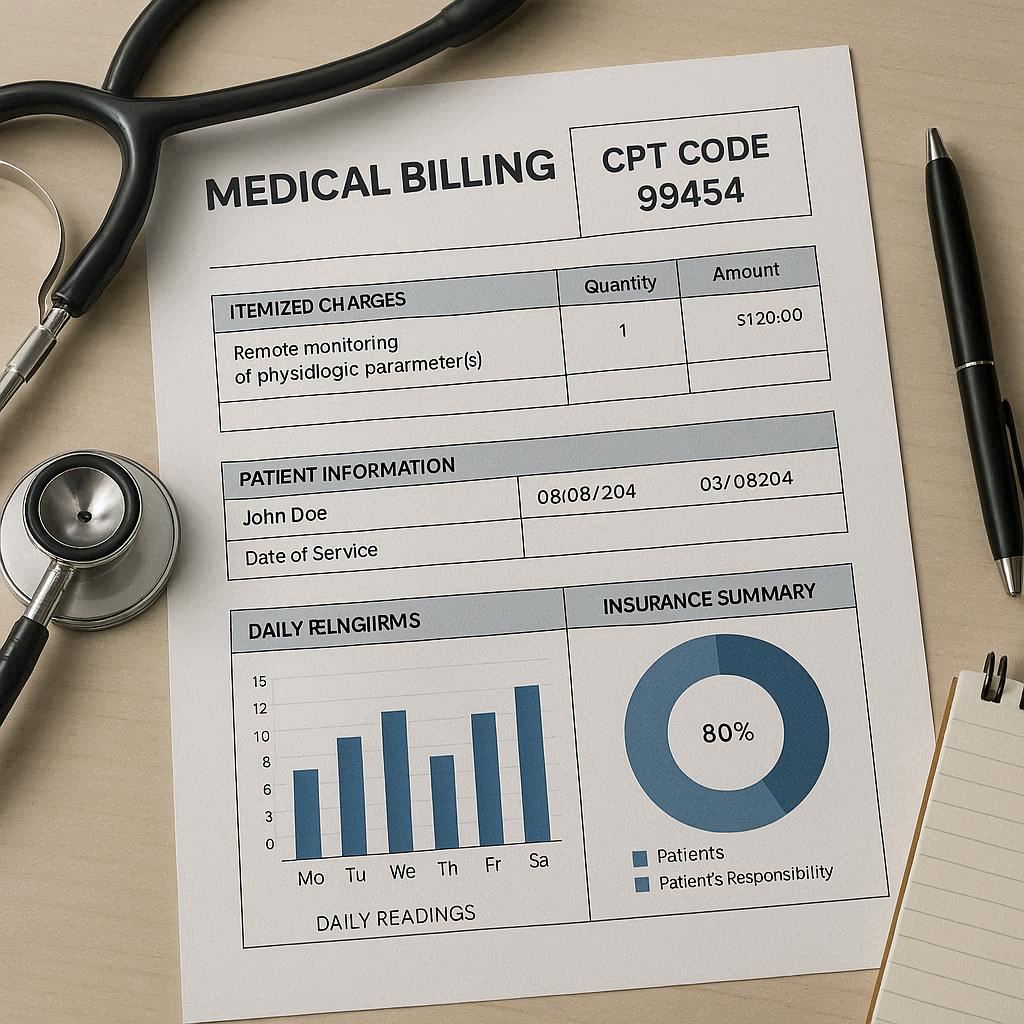
CPT code 99454 describes the supply of a medical device for remote monitoring, plus the daily transmissions of data from that device to your clinical team over a 30-day period.
Think of it this way:
- You give a patient a blood pressure cuff, a glucose meter, or a weight scale that connects to the internet.
- The patient uses it daily for a month.
- The device automatically sends readings to your clinic.
- Code 99454 covers the cost of supplying that device and receiving those daily transmissions.
Key fact: Code 99454 does not cover the time you spend reviewing data or talking to the patient. That is a different code (99457 or 99458).
This code is part of the larger Remote Patient Monitoring (RPM) family. You will often see it billed alongside other codes like 99453 (device setup) or 99457 (treatment management time).
The Difference Between 99453 and 99454
Many people mix these two up. Here is the simple breakdown:
| CPT Code | What It Covers | How Often |
|---|---|---|
| 99453 | Initial device setup, patient education, and connection to the monitoring system | Once per patient, per episode of care |
| 99454 | Device supply and daily data transmissions | Once per 30-day period |
You can bill 99453 only one time per patient, per condition. But you can bill 99454 repeatedly, month after month, as long as the patient continues to use the device daily.
Who Can Bill 99454?
Not every provider can bill this code. Medicare and most commercial payers require:
- A physician, nurse practitioner (NP), physician assistant (PA), or certified nurse midwife (CNM) ordering the service.
- The clinical staff (or a qualified healthcare professional) managing the data.
- The patient having an established condition that benefits from daily monitoring.
You cannot bill 99454 for general wellness or preventative checks. There must be a clinical reason.
When to Use Code 99454 (Real-Life Scenarios)
Let us look at some everyday examples. These will help you see exactly when code 99454 applies.
Scenario 1: Managing Hypertension
A 68-year-old patient has uncontrolled high blood pressure. Their doctor prescribes a home blood pressure monitor that connects to a cellular hub. The patient takes their pressure every morning. The device sends readings to the clinic automatically.
After 30 days of daily transmissions, you bill 99454.
Scenario 2: Diabetes Monitoring
A patient with type 2 diabetes keeps having high morning glucose levels. Their endocrinologist provides a connected glucose meter. The patient tests four times per day. The data flows to your EHR.
You bill 99454 each month the patient stays enrolled and transmits data on at least 16 of the 30 days.
Scenario 3: Post-Surgical Weight Monitoring
A patient goes home after heart failure surgery. The surgeon wants daily weight checks to catch fluid retention early. You supply a connected scale. The patient steps on it each morning.
Monthly transmissions earn you 99454 again.
Important note: You do not need 16 days of data for 99454 specifically. That requirement applies to the treatment management codes (99457/99458). For 99454, you just need the device supplied and at least one transmission per day on most days. But check your payer’s rules. Some commercial plans add extra conditions.
Reimbursement Rates for 99454 (What You Will Actually Get Paid)
Money matters. You need to know if RPM pays enough to be worth your time.
Medicare sets the national average payment for 99454. Private payers vary widely.
Medicare Facility vs. Non-Facility Rates
| Setting | 2024 Medicare Average Payment |
|---|---|
| Non-facility (office, clinic) | ~57–63 |
| Facility (hospital outpatient) | ~45–52 |
These rates change slightly each year. Always check the current Medicare Physician Fee Schedule (MPFS).
Commercial Payer Examples (Approximate)
- UnitedHealthcare: 65–85
- Cigna: 55–75
- Aetna: 60–80
- Blue Cross Blue Shield (varies by state): 50–90
Some private plans pay significantly more. Others do not cover RPM at all. Always verify coverage before enrolling a patient.
How Many Times Can You Bill 99454 Per Patient?
You can bill 99454 once per calendar month (30 days) for each patient.
Do not bill it twice in the same month. Do not bill partial months. If a patient starts on the 15th, wait until the next full 30-day period.
You can bill 99454 for multiple months in a row as long as the patient remains enrolled and actively using the device.
Can You Bill 99454 Alongside Other Codes?
Yes. In fact, you usually do.
Here is a common monthly billing combination:
- 99454 – Device supply and transmissions
- 99457 – First 20 minutes of treatment management time (usually billed once per month)
- 99458 – Each additional 20 minutes (billed if you spend more than 20 minutes)
You can also bill an Evaluation and Management (E/M) code on the same day as 99454, but only if the visit is unrelated to the monitoring. You must use modifier 25 on the E/M code.
Documentation Requirements You Cannot Ignore
Poor documentation is the number one reason RPM claims get denied. You must keep clear, auditable records.
What Your Note Must Include for 99454
- Order for RPM – Signed by the treating provider. Includes the condition being monitored, the type of device, and the frequency of use.
- Patient consent – Written or verbal. Document it in the chart.
- Device type and serial number – Be specific. “Blood pressure cuff” is not enough. “Omron HEM-7600T, serial #ABC123” is good.
- Date the device was supplied – This starts the 30-day clock.
- Transmission log – Proof that data was received on most days. A summary from your RPM platform works perfectly.
- Clinical review note – Even though 99454 does not require a specific number of review minutes, you must show you looked at the data at least once during the month.
Sample Documentation Snippet
*“Patient enrolled in RPM for hypertension (I10) on 03/01/2025. Supplied Withings BPM Connect, serial W12345. Patient consent obtained 03/01/2025. Device transmitted blood pressure readings on 28 of 30 days. Average systolic 142 mmHg, diastolic 88 mmHg. Reviewed by RN Smith on 03/15 and 03/30. No urgent changes needed. Plan: continue monitoring.”*
Do You Need a Separate Note for Each Month?
Yes. Create a new progress note for each 30-day period. You can use a template, but each month must show new data and a new review.
Common Billing Mistakes (And How to Avoid Them)
Even experienced billers make errors with RPM codes. Here are the most frequent problems we see.
Mistake 1: Billing 99454 Without First Billing 99453
Medicare and most commercial payers expect you to bill 99453 (setup and education) once before you start billing 99454. If you skip it, your 99454 claim may deny.
Fix: Always bill 99453 on the first month of enrollment. Then bill 99454 monthly after that.
Mistake 2: Billing 99454 for Less Than 30 Days
Some practices try to bill 99454 when a patient only uses the device for two weeks. That is incorrect. Code 99454 is a monthly code. Do not prorate it.
Fix: Start billing 99454 on the first full calendar month after the patient begins monitoring.
Mistake 3: Using the Wrong Modifier
Most RPM codes do not require a modifier unless you are billing an E/M visit on the same day. But some commercial payers want modifier 95 (synchronous telecommunication) attached to 99454.
Fix: Check each payer’s policy. When in doubt, call their provider line.
Mistake 4: No Proof of Transmissions
If your RPM platform does not log individual transmissions, you cannot prove the device was used. An audit will fail.
Fix: Use an RPM platform that automatically timestamps and stores every reading. Export a monthly summary for the patient’s chart.
Device Requirements for Code 99454
Not every home monitoring device qualifies. Payers have rules about what counts.
What Makes a Device Eligible?
- Connected – The device must transmit data automatically via cellular, Wi-Fi, or Bluetooth to a cloud-based platform. Manual entry by the patient does not count.
- Medical grade – Over-the-counter wellness devices (e.g., a basic Fitbit) usually do not qualify unless prescribed for a specific condition.
- Daily use capability – The device must be usable by the patient at least once per day.
Examples of Qualified Devices
- Connected blood pressure monitors
- Continuous glucose monitors (CGM) with daily data
- Pulse oximeters with transmission ability
- Connected weight scales
- Spirometers for COPD
- PT/INR monitors for anticoagulation
Examples of Devices That Do NOT Qualify
- A paper log book
- A device that only stores data locally (no transmission)
- A general fitness tracker without a medical prescription
- A one-time-use device
Important: You do not need to own the devices. Many practices partner with RPM vendors who supply the hardware and software. You can still bill 99454 as long as you order the service and document appropriately.
RPM Billing Workflow Step by Step
Let us put everything together into a simple workflow you can share with your team.
Month 1 (Initial Enrollment)
- Identify a eligible patient with a chronic condition.
- Get a signed order from the provider.
- Obtain written or verbal consent. Document it.
- Supply the connected device. Train the patient.
- Bill 99453 (one time).
- Wait for 30 days of data.
- Bill 99454 for month 1.
Month 2 and Beyond
- Continue daily transmissions.
- Clinically review data at least once per month.
- Document the review and any treatment changes.
- Bill 99454 again for each 30-day period.
- If you spend 20+ minutes managing the patient, also bill 99457 (and 99458 if more time).
When to Stop Billing 99454
- The patient’s condition stabilizes and no longer requires daily monitoring.
- The patient asks to stop.
- The patient fails to transmit data for a full month without a good reason.
- The patient is hospitalized long-term or enters a skilled nursing facility (check payer rules).
Payer-Specific Rules You Must Know
Medicare is generous with RPM. Commercial payers are not always the same.
Medicare (CMS)
- Covers 99454 for patients with one or more chronic conditions.
- No required minimum number of transmissions for 99454 alone.
- Allows billing 99454 for up to 12 months per condition (renewable).
- Does not require a separate in-person visit within the last 12 months (this rule changed in 2022).
UnitedHealthcare
- Covers RPM for specific conditions: hypertension, diabetes, COPD, heart failure.
- Requires at least 16 days of data per month for the management codes, but not strictly for 99454. Still, they expect active use.
- Pre-authorization may be required for device supply.
Cigna
- Covers RPM under certain plans only.
- Does not cover 99454 for “preventative” monitoring.
- May require modifier 95.
Medicaid (Varies by State)
- Some states cover RPM generously. Others do not cover it at all.
- Always check your state’s Medicaid fee schedule.
Pro tip: Create a payer cheat sheet for your billing team. List which payers cover 99454, which require prior auth, and which need modifiers.
How to Start an RPM Program Without Breaking Your Budget
You do not need to spend a fortune to offer remote monitoring. Here is a realistic path.
Option 1: Partner with an RPM Vendor
Vendors provide devices, software, and sometimes billing support. They typically charge a monthly fee per patient or per device. You keep the professional fee from 99454.
Examples of RPM vendors: Vivify Health, Cadence, Current Health, Medtronic Care Management.
Pros: Low upfront cost. Minimal IT work.
Cons: You share revenue. Less control.
Option 2: Build Your Own Program
Buy devices directly from manufacturers like Omron, Withings, or iHealth. Use an RPM software platform like 100Plus or Rimidi. Bill everything yourself.
Pros: Keep all revenue. Full control.
Cons: Higher upfront cost. You handle device logistics and tech support.
Option 3: Hybrid Model
Use a vendor for device fulfillment and software but manage patients internally. This is the most common approach for medium-sized clinics.
Realistic Startup Costs (Small Clinic)
| Item | Approximate Cost |
|---|---|
| 20 connected devices | 1,500–3,000 |
| Monthly software subscription (20 patients) | 200–500 |
| Staff training (one time) | 0–1,000 (internal) |
| Billing system update | 0–500 |
Total: 1,700–1,700–5,000 to start.
You will recoup that after billing 99454 for 10–15 patients per month for a few months.
Frequently Asked Questions (FAQ)
Can I bill 99454 if the patient only transmits data once per week?
Technically yes, but you risk a payer audit. Most payers expect daily or near-daily use. If a patient consistently misses transmissions, consider whether RPM is still clinically appropriate.
Does 99454 require a minimum number of days of data?
Medicare does not specify a minimum for 99454 alone. But if you also bill 99457 (management time), you need at least 16 days of data in that 30-day period.
Can a patient use their own device?
No. Code 99454 requires that you (the provider) supply the device. If the patient already owns a compatible device, you can use it, but you cannot bill 99454 unless you document that you provided it as part of the service.
Can I bill 99454 for a patient in a nursing home?
It depends. Medicare generally does not cover RPM for patients in skilled nursing facilities (SNFs) for the same condition that caused the SNF stay. For long-term care residents, check your local MAC.
What happens if the device breaks mid-month?
Replace it as soon as possible. You can still bill 99454 for that month if the patient transmitted data on most days before the breakdown. Document the issue.
Is 99454 covered for pediatric patients?
Yes, if the child has a qualifying chronic condition (e.g., epilepsy, diabetes, asthma). Most payers do not have an age restriction.
Do I need to bill 99453 every year?
No. You bill 99453 once per patient, per episode of care. If a patient stops RPM for more than 6 months and restarts, you may bill 99453 again.
Important Notes for Readers
Note 1: CPT code 99454 is a technical code. It does not require you to personally review data or talk to the patient. That is both a strength (easier to bill) and a risk (easier to abuse). Always use it honestly.
Note 2: Payer policies change frequently. The information in this guide is accurate as of 2025. Always verify current rules with your local Medicare Administrative Contractor (MAC) and each commercial payer.
Note 3: RPM is not a replacement for in-person care. It is a supplement. Do not bill 99454 for patients you never see. Good clinical judgment always comes first.
Additional Resource
For the most up-to-date Medicare RPM payment rates and policy changes, bookmark the official CMS Telehealth and Remote Monitoring Services page.
👉 Link: https://www.cms.gov/medicare/coverage/remote-monitoring-services (Open in a new tab)
This is the authoritative source for fee schedules, billing articles, and transmittals. Do not rely on secondhand summaries.
Conclusion
CPT code 99454 is a powerful tool for clinics wanting to offer remote patient monitoring. It covers the device supply and daily data transmissions that make RPM work. Bill it correctly, document carefully, and pair it with 99453 (setup) and 99457 (management time) for full reimbursement. Avoid common pitfalls like skipping setup codes or billing partial months, and always check individual payer policies before enrolling patients.
Disclaimer: This article is for educational purposes only and does not constitute legal, financial, or medical advice. Billing and coding rules vary by payer, location, and individual patient circumstances. Always consult a certified professional coder or your payer’s provider manual before submitting claims. The author and publisher disclaim any liability for any adverse outcomes resulting from the use of this information.