If you work with Medicare or Medicaid claims, you have probably heard the phrase “CMS ICD-10 code lookup” more times than you can count. And yet, many people still find the process confusing, time-consuming, or even frustrating.
You are not alone.
Every day, medical billers, coders, and healthcare providers sit down to search for the right diagnosis code. They need to make sure their claims are accurate. They want to avoid denials. And they must follow the rules set by the Centers for Medicare & Medicaid Services (CMS).
But here is the good news.
Once you understand how the CMS ICD-10 code lookup system works, everything becomes much simpler. You will save time. You will reduce errors. And you will feel more confident when submitting claims.
This guide walks you through every step. No complicated jargon. No unnecessary fluff. Just practical, honest advice that helps you do your job better.

What Is a CMS ICD-10 Code Lookup?
Before we dive into the how, let us talk about the what.
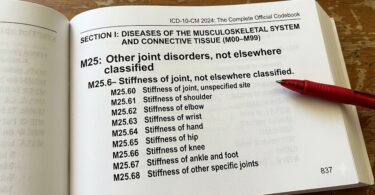
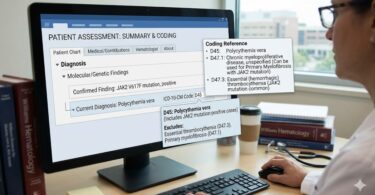
A CMS ICD-10 code lookup is the process of searching for an official diagnosis code using tools provided or approved by the Centers for Medicare & Medicaid Services. These codes come from the International Classification of Diseases, 10th Revision (ICD-10), which is the standard system used in the United States for reporting medical diagnoses and inpatient procedures.
CMS maintains the ICD-10 code set for Medicare and Medicaid purposes. While other countries use ICD-10 as well, the US version includes specific modifications, which is why you might hear the term ICD-10-CM (Clinical Modification) and ICD-10-PCS (Procedure Coding System).
When you perform a CMS ICD-10 code lookup, you are essentially checking three things:
- Does the code exist? Not every number sequence is valid.
- Is the code active? Codes get added, revised, or deleted every year.
- Does the code match the diagnosis? You need the right code for the right patient condition.
Sounds simple, right? In theory, yes. In practice, many people make small mistakes that lead to big problems.
*”The most common reason for Medicare claim denials is incorrect or invalid ICD-10 codes. A quick CMS lookup before submission could prevent most of these errors.”* – American Academy of Professional Coders (AAPC)
Why CMS ICD-10 Code Lookup Matters More Than You Think
You might be tempted to skip the lookup step. Maybe you think you remember the code. Perhaps you are in a hurry. Or maybe you assume your billing software will catch any mistakes.
Do not fall into that trap.
Here is why performing a proper CMS ICD-10 code lookup is critical for your practice or organization.
Avoiding Claim Denials and Rejections
Medicare denies thousands of claims every single day. A large percentage of those denials happen because of incorrect, invalid, or mismatched ICD-10 codes. Once a claim is denied, you have to resubmit it. That takes time. It delays payment. And it frustrates everyone involved.
A quick lookup before you submit can prevent this headache entirely.
Staying Compliant with CMS Rules
CMS has strict rules about code usage. For example, you cannot use an outdated code from last year. You also cannot use a code that does not have enough specificity (like missing the required number of characters). Performing a CMS ICD-10 code lookup ensures you stay on the right side of compliance.
Reducing Audit Risks
Medicare audits are stressful. They are time-consuming. And they can lead to significant financial penalties if errors are found. When you use valid, well-documented ICD-10 codes from an official CMS lookup, you build a stronger defense in case of an audit.
Improving Patient Care Documentation
Accurate coding is not just about billing. It also reflects the quality of patient care. When you look up the correct code, you force yourself to be precise about the patient’s diagnosis. That clarity carries over into medical records, treatment plans, and communication with other providers.
Saving Money in the Long Run
Let us talk dollars and cents. Every denied claim costs you money in staff time, resubmission fees, and delayed revenue. A single CMS ICD-10 code lookup takes less than two minutes. That small investment can save you hundreds or even thousands of dollars over the course of a year.
The Official CMS ICD-10 Code Lookup Tools
Now that you understand the why, let us focus on the how.
CMS provides several official tools to help you look up ICD-10 codes. Some are free. Some require a bit of practice to use effectively. Below is a breakdown of the most reliable options.
1. CMS ICD-10-CM/PCS Code Search (Main Tool)
This is the tool most people refer to when they talk about a CMS ICD-10 code lookup. It is hosted directly on the CMS website and allows you to search for any valid ICD-10-CM (diagnosis) or ICD-10-PCS (inpatient procedure) code.
Key features:
- Official and updated annually
- Free to use
- Shows code validity, description, and any notes
- Allows partial code searches
Limitations:
- The interface is basic (looks like it was built in the early 2000s)
- No advanced filtering or clinical guidance
- Does not suggest related codes
2. Medicare Coverage Database (MCD)
The MCD is useful when you need to know whether Medicare covers a specific diagnosis or procedure. It goes beyond a simple code lookup by showing Local Coverage Determinations (LCDs) and National Coverage Determinations (NCDs).
When to use this tool:
- You already have a code but want to check coverage
- You suspect the service might be denied due to medical necessity
- You need to see documentation requirements for a specific code
3. CMS Code Lists (Downloadable Files)
If you prefer working with spreadsheets or need to look up many codes at once, CMS publishes downloadable CSV files. These contain the entire ICD-10 code set, including long and short descriptions.
Best for:
- Large practices or billing companies
- Coders who want to build their own lookup database
- Offline reference
4. Commercial Tools with CMS Data
Many private companies offer ICD-10 lookup tools that use the official CMS data. Examples include Codify by AAPC, ICD10Data.com, and various electronic health record (EHR) systems. While these are not directly run by CMS, they pull from the same official files.
Pros: Better user interfaces, more search features, clinical guidance
Cons: Often require a paid subscription
Important note: Even if you use a commercial tool, always cross-check critical or high-risk codes against the official CMS lookup to be safe.
Step-by-Step Guide: How to Perform a CMS ICD-10 Code Lookup
Let us walk through a real example together. Imagine you have a patient with type 2 diabetes and you need to find the correct ICD-10 code for billing.
Step 1: Open the CMS ICD-10 Code Search Tool
Go to the CMS website and navigate to the “ICD-10” section. Look for the link that says “ICD-10-CM/PCS Code Search” or something similar. Bookmark this page. You will use it often.
Step 2: Enter Your Search Term
Type in a keyword or partial code. For our example, type “diabetes type 2” or just “E11” (the category code for type 2 diabetes).
Step 3: Review the Results
The tool will show you a list of matching codes. Each code includes:
- The full ICD-10 code (e.g., E11.9)
- A short description
- Any applicable notes or symbols
Step 4: Check for Specificity
ICD-10 codes require a certain number of digits. Most diagnosis codes need 3 to 7 characters. Look at the code you selected. Does it need a 4th, 5th, or 6th character? In our example, E11.9 (Type 2 diabetes without complications) is valid, but maybe your patient has diabetic kidney disease. That would be E11.22.
Do not stop at the first code that looks close. Keep looking until you find the most specific match.
Step 5: Verify the Code Is Active
CMS updates codes every October 1st. A code that was valid last year might be deleted, revised, or replaced this year. The lookup tool will show you if a code is active or not. If you see a note saying “code deleted” or “code revised,” do not use it.
Step 6: Document the Code and Source
Write down the exact code and the description exactly as it appears in the CMS lookup. This documentation protects you during audits. It also helps other staff members understand why you chose that specific code.
Step 7: Cross-Check with Your EHR or Billing Software
Enter the code into your system. Many modern EHRs will flag invalid or mismatched codes. If you get a warning, go back to the CMS tool and double-check.
Common Mistakes People Make During a CMS ICD-10 Code Lookup
Even experienced coders make errors sometimes. Here are the most frequent mistakes and how to avoid them.
Mistake #1: Using Non-Specific Codes When Specific Codes Exist
ICD-10 is much more detailed than ICD-9 used to be. Many codes require additional digits to specify location, severity, laterality (left vs. right), or encounter type (initial, subsequent, sequela).
Example: A patient with a fracture. Do not just use S82 (fracture of lower leg). Look up S82.5 (fracture of medial malleolus) or S82.6 (fracture of lateral malleolus) depending on the exact injury.
Mistake #2: Ignoring the “Code Also” and “Use Additional Code” Notes
CMS often adds instructional notes to ICD-10 codes. These are not suggestions. They are requirements.
Example: For a patient with both diabetes and chronic kidney disease, you need to code both conditions. Do not pick just one.
Mistake #3: Using Outdated Code Lists
Some practices keep printed code books or old spreadsheets. That is a disaster waiting to happen. Always use the current year’s CMS lookup tool.
Mistake #4: Typing the Code from Memory
You think you know the code for hypertension. So you type I10 without looking it up. But what if the patient has hypertensive crisis? That is I16.0. Do not trust your memory. Use the lookup tool every single time.
Mistake #5: Forgetting Laterality
ICD-10 often distinguishes between left, right, and bilateral. For example, osteoarthritis of the knee requires you to specify M17.11 (right knee), M17.12 (left knee), or M17.10 (unspecified). Unspecified codes may be denied by Medicare unless the medical record truly does not specify laterality.
CMS ICD-10 Code Lookup vs. Other Lookup Methods
Not all lookup methods are created equal. Here is a quick comparison to help you choose the right approach for your situation.
| Method | Speed | Accuracy | Cost | Best For |
|---|---|---|---|---|
| Official CMS tool | Slow | 100% (official) | Free | Final verification, audits |
| Commercial software (e.g., Codify) | Fast | Very high (uses CMS data) | Paid monthly/yearly | Daily coding, productivity |
| EHR-integrated lookup | Very fast | High (if updated regularly) | Included in EHR cost | Routine visits |
| Printed code book | Slow | Good (if current year) | One-time purchase | Practices without internet |
| Free online third-party sites | Fast | Variable (risky) | Free | Quick reference only (not for claims) |
Our recommendation: Use a commercial tool for daily work, but always verify questionable or high-risk codes with the official CMS tool.
How to Read CMS ICD-10 Code Lookup Results
When you perform a CMS ICD-10 code lookup, the results page might look confusing at first. Let us break down exactly what you are seeing.
Valid Code Example
If you search for a valid, active code like J44.9 (Chronic obstructive pulmonary disease, unspecified), you will see:
- Code: J44.9
- Long Description: Chronic obstructive pulmonary disease, unspecified
- Short Description: COPD, unspecified
- Status: Active
- Notes: (Usually none for this code)
Invalid Code Example
If you search for a code that does not exist, like Z99.9 (made up), the tool will show:
- Message: No results found. Please check your entry.
Deleted or Revised Code Example
If you search for a code that was deleted in a previous year, the tool might show:
- Code: 250.00 (old ICD-9 code)
- Message: This code is not valid for the current year. See ICD-10 codes E11.9, E10.9, etc.
Codes Requiring Additional Digits
Some codes appear incomplete in the search results. For example, searching for “S06” might return:
- S06.0X0 – Concussion without loss of consciousness
- S06.0X1 – Concussion with loss of consciousness less than 30 minutes
The “X” in the code means a placeholder character. You must replace it with the appropriate digit (often 0, 1, 2, etc.).
Pro tip: Always expand the search results fully. Do not stop at the three-character category code. You need the most specific code available.
Special Situations in CMS ICD-10 Code Lookup
Some clinical scenarios require extra attention during your lookup. Here are three common special situations and how to handle them.
Situation 1: Combination Codes
ICD-10 loves combination codes. These are single codes that describe two or more conditions or a condition with a related complication.
Example: K50.011 is Crohn’s disease of the small intestine with fistula. Instead of coding the Crohn’s and the fistula separately, you use one combination code.
How to handle: When you look up a diagnosis, read all the child codes carefully. You might find that what you thought needed two codes is actually one combination code.
Situation 2: Uncertain Diagnoses
For outpatient settings, you can code “uncertain” diagnoses. For inpatient settings, you generally cannot.
Outpatient example: A patient has chest pain, but you are not sure if it is cardiac. You can code R07.9 (Chest pain, unspecified) while you run tests.
Inpatient example: A patient is admitted with possible appendicitis. You must wait for a definitive diagnosis before coding. Do not use an uncertain code for inpatients.
Situation 3: Signs and Symptoms vs. Definitive Diagnosis
Medicare prefers definitive diagnosis codes whenever possible. But sometimes, you do not have a confirmed diagnosis yet.
Rule of thumb:
- If a definitive diagnosis exists, code that
- If no diagnosis has been confirmed after evaluation, code the signs and symptoms
- Do not code both a definitive diagnosis and its symptoms (that is double-dipping)
The Relationship Between CMS ICD-10 Codes and Medical Necessity
Here is something many people overlook. Having a valid ICD-10 code is necessary, but it is not sufficient. Medicare also requires medical necessity.
Medical necessity means the service or procedure you are billing for must be reasonable and necessary to diagnose or treat the patient’s condition. The ICD-10 code you select directly supports (or fails to support) medical necessity.
How This Affects Your Lookup
When you perform a CMS ICD-10 code lookup, do not just check validity. Also check whether Medicare covers that diagnosis for the specific service you performed.
Example: You performed a routine foot exam. The patient has a valid ICD-10 code for a callus (L84). Medicare usually does not cover routine foot care for calluses unless the patient has a systemic condition like diabetes. So even though L84 is valid, the claim might be denied for lack of medical necessity.
How to Use the Medicare Coverage Database
This is where the Medicare Coverage Database (MCD) becomes your best friend.
- Perform your ICD-10 lookup in the main CMS tool
- Note the valid code
- Go to the MCD
- Search by code or by service
- See if there are any Local Coverage Determinations (LCDs) that apply to your region
- Review documentation requirements
Doing this extra step can prevent heartbreaking claim denials.
Yearly Updates: Why Your CMS ICD-10 Code Lookup Must Change Annually
CMS updates the ICD-10 code set every year on October 1st. That means a code you used all year might become invalid overnight.
Typical Annual Changes Include:
- New codes added (usually hundreds)
- Codes revised (descriptions change)
- Codes deleted (no longer valid)
- Code length changes (some codes expand)
How to Stay Current:
- Mark your calendar for October 1st each year
- Subscribe to CMS email updates
- Review the annual ICD-10 summary of changes (CMS publishes it every summer)
- Retrain your coding staff before the effective date
- Update your EHR and billing software
- Perform a CMS ICD-10 code lookup for your top 50 most-used codes after each update
Warning: Do not assume your software updates automatically. Some systems require manual updates or user confirmation. Always verify.
Frequently Asked Questions About CMS ICD-10 Code Lookup
Here are the most common questions people ask. We have answered them in plain English.
Q1: Is the CMS ICD-10 code lookup tool really free?
Yes. The official tool on the CMS website is completely free. You do not need to register, log in, or pay anything. It is funded by taxpayer dollars as part of CMS’s mission to support healthcare providers.
Q2: Can I use a CMS lookup for commercial insurance claims?
Absolutely. While the tool is designed for Medicare, all US insurance companies use the same ICD-10 code set. A code that is valid for Medicare is valid for Blue Cross, Aetna, UnitedHealthcare, and others. However, coverage policies differ, so medical necessity rules may vary.
Q3: Why does the CMS tool look so old and basic?
CMS prioritizes accuracy over aesthetics. The tool works reliably, even on old computers or slow internet connections. Many users wish CMS would modernize the interface, but for now, it remains functional and official.
Q4: How far back can I look up old codes?
The CMS tool usually shows only the current year’s codes. For historical lookups (previous years), you may need to download archived code files from the CMS website or use a commercial tool that maintains historical data.
Q5: What is the difference between ICD-10-CM and ICD-10-PCS?
ICD-10-CM is for diagnoses. Everyone uses these codes for billing. ICD-10-PCS is for inpatient procedures only. Hospitals use PCS codes. Outpatient offices and clinics do not.
The CMS lookup tool covers both. Just make sure you are looking at the right section.
Q6: Can I do a CMS ICD-10 code lookup on my phone?
Yes. The CMS website is mobile-friendly, though the experience is not great on small screens. For quick lookups on your phone, you might prefer a commercial app. But for official verification, the mobile website works.
Q7: What should I do if I cannot find a code in the CMS lookup?
First, double-check your spelling and search terms. Try a different keyword. Try a partial code. If you still get nothing, the condition might not have a specific ICD-10 code. In that case, look for a more general code (e.g., other specified symptoms) or check the “Not elsewhere classified” (NEC) options.
Q8: How many characters can an ICD-10 code have?
Between 3 and 7 characters. The first character is always a letter (except U). The second character is always a number. The third character is a letter or number. Characters 4 through 7 can be letters or numbers.
Q9: Do I need a separate CPT code lookup?
Yes. ICD-10 codes describe the diagnosis (why you treated the patient). CPT codes describe the service or procedure (what you did). CMS has separate tools for CPT/HCPCS code lookups. Do not confuse the two.
Q10: Is there a faster way to do bulk CMS ICD-10 code lookups?
Yes. Download the complete CSV file from the CMS website. Open it in Excel or Google Sheets. Use find-and-replace or VLOOKUP to search many codes at once. This is much faster than typing each code individually into the web tool.
Practical Tips to Master CMS ICD-10 Code Lookup
Let us move beyond the basics. These advanced tips will save you time and reduce frustration.
Tip 1: Use the Tab Key
When typing a code into the CMS search box, use the Tab key instead of clicking the search button. It is faster and keeps your hands on the keyboard.
Tip 2: Learn the Code Structure
ICD-10 codes follow patterns. Once you understand the structure, you can guess categories without looking everything up.
- A00-B99 – Certain infectious and parasitic diseases
- C00-D49 – Neoplasms
- E00-E89 – Endocrine, nutritional, and metabolic diseases
- F01-F99 – Mental, behavioral, and neurodevelopmental disorders
- G00-G99 – Diseases of the nervous system
- H00-H59 – Diseases of the eye and adnexa
- H60-H95 – Diseases of the ear and mastoid process
- I00-I99 – Diseases of the circulatory system
- J00-J99 – Diseases of the respiratory system
- K00-K95 – Diseases of the digestive system
- L00-L99 – Diseases of the skin and subcutaneous tissue
- M00-M99 – Diseases of the musculoskeletal system and connective tissue
- N00-N99 – Diseases of the genitourinary system
- O00-O9A – Pregnancy, childbirth, and the puerperium
- P00-P96 – Certain conditions originating in the perinatal period
- Q00-Q99 – Congenital malformations
- R00-R99 – Symptoms, signs, and abnormal clinical findings
- S00-T88 – Injury, poisoning, and external causes
- V00-Y99 – External causes of morbidity
- Z00-Z99 – Factors influencing health status
- U00-U85 – Special codes (COVID-19, etc.)
Tip 3: Create a Personal Code Bookmark List
In your browser, bookmark the CMS lookup tool along with your most frequently used code categories. For example, bookmark the search results for E11 (diabetes), I10 (hypertension), and J45 (asthma). This saves you from retyping common searches.
Tip 4: Use Placeholder Logic
When you see an “X” in a code (like S06.0X1), think of it as a placeholder. CMS uses X to reserve a spot for future expansion or to maintain consistent code length. You must replace X with the appropriate digit. In many cases, you will use 0.
Tip 5: Double-Check Laterality Every Time
This is so important that it deserves repetition. Always check if the code requires left, right, bilateral, or unspecified. Many denials happen because someone used an unspecified code when the medical record clearly stated “left knee.”
Tip 6: Audit Your Own Work Weekly
Set aside 15 minutes every Friday. Pull 10 random claims you submitted that week. Perform a fresh CMS ICD-10 code lookup for each code. If you find mistakes, identify the pattern. Are you always forgetting laterality? Are you using outdated codes? Use the audit to improve your process.
Real-World Examples of CMS ICD-10 Code Lookup in Action
Examples help more than theory. Here are three real-world scenarios.
Example 1: The Emergency Department Visit
Patient presentation: 45-year-old with sudden severe headache, no trauma. CT scan shows no bleed. Diagnosis is migraine.
Wrong approach: Search for “headache” and pick the first code (R51, headache). That is too general.
Correct CMS ICD-10 code lookup:
- Search “migraine”
- Find G43 series
- Check laterality (not applicable for most migraines unless specified)
- Check if aura is present (no in this case)
- Select G43.909 (Migraine, unspecified, not intractable)
Why this matters: The claim with R51 would likely be denied or downcoded. The G43.909 code accurately reflects the diagnosis and supports medical necessity for any migraine-specific treatments.
Example 2: Post-Operative Follow-Up
Patient presentation: 70-year-old who had hip replacement surgery 3 weeks ago. Now coming in for routine post-op check. No complications.
Wrong approach: Code the hip replacement diagnosis from before surgery (M16.0, bilateral primary osteoarthritis of hip).
Correct CMS ICD-10 code lookup:
- Search “post-operative”
- Find Z47.1 (Aftercare following joint replacement surgery)
- Verify this code is active and valid for outpatient follow-up
Why this matters: Using the old osteoarthritis code suggests the patient still has active arthritis, which is not true after a successful replacement. The Z code correctly describes the reason for the visit (aftercare).
Example 3: Diabetic Patient with Multiple Issues
Patient presentation: Type 2 diabetes, plus diabetic neuropathy, plus a foot ulcer on the right foot.
Wrong approach: Code E11.9 (diabetes without complications) plus L97.519 (non-pressure ulcer of right foot). This misses the connection between diabetes and the ulcer.
Correct CMS ICD-10 code lookup:
- Search “diabetes foot ulcer”
- Find E11.621 (Type 2 diabetes with foot ulcer)
- Also code the neuropathy separately: E11.40 (Type 2 diabetes with diabetic neuropathy, unspecified)
- Do not code the ulcer again separately
Why this matters: The combination code E11.621 tells Medicare that the foot ulcer is a diabetic complication. This supports medical necessity for more intensive foot care. Separate codes would make the connection unclear.
The Future of CMS ICD-10 Code Lookup
What will change in the coming years? Here are three trends to watch.
Trend 1: ICD-11 Adoption (Eventually)
The World Health Organization (WHO) released ICD-11 in 2018. The US has not adopted it yet. Most experts expect the transition to begin sometime after 2025, but it could be later. For now, focus on ICD-10. You will have plenty of warning before any changes happen.
Trend 2: AI-Assisted Lookup
Some commercial tools already use artificial intelligence to suggest ICD-10 codes based on clinical notes. This trend will accelerate. However, AI is not perfect. You should still verify AI suggestions with a formal CMS ICD-10 code lookup.
Trend 3: Tighter Integration with EHRs
EHR vendors are improving their built-in code lookup tools. Many now pull directly from the CMS database in real time. This reduces the need to visit the CMS website separately. But again, always double-check questionable codes.
Additional Resources for CMS ICD-10 Code Lookup
You do not need to memorize everything. Bookmark these resources instead.
Official CMS Resources:
- CMS ICD-10-CM/PCS Code Search Tool – Primary lookup tool
- CMS ICD-10 Home Page – All official updates and announcements
- Medicare Coverage Database – Check medical necessity
- CMS ICD-10 Code Files (CSV) – For bulk lookups
Third-Party Tools (Use with Caution):
- ICD10Data.com – Free, updated from CMS data, better interface
- Codify by AAPC – Paid, excellent for professional coders
- Find-A-Code – Paid, includes cross-references and guidelines
Educational Resources:
- AAPC ICD-10 Training – Certification and courses
- CMS ICD-10 Training Materials – Free slides and webinars
- Your local Medicare Administrative Contractor (MAC) website – Region-specific guidance
Important note on the additional resource link:
*For the most current and official ICD-10 code files, always start at the CMS website: CMS ICD-10 Official Code Files (copy and paste this link into your browser). Bookmark it. Use it often.*
Conclusion (Three-Line Summary)
A CMS ICD-10 code lookup is your best defense against claim denials, audits, and compliance problems. Use the official CMS tool or approved commercial alternatives to verify every code before submission, and always check for annual updates, laterality, and medical necessity. With consistent lookup habits and the practical tips in this guide, you will save time, reduce errors, and bill with confidence.
FAQ (Quick Recap)
For your convenience, here are the top five questions answered in one glance.
- Is the CMS ICD-10 code lookup free? Yes, the official CMS tool is completely free.
- How often are codes updated? Every year on October 1st.
- Can I use the CMS lookup for non-Medicare claims? Yes, all US payers use the same ICD-10 codes.
- What if my code is not found? Check spelling, try different keywords, or use a broader code.
- Do I still need a CPT lookup? Yes, ICD-10 is for diagnoses; CPT is for procedures. Both are required.
Disclaimer: This article is for informational and educational purposes only. It does not constitute legal, medical, or billing advice. Coding guidelines, Medicare policies, and ICD-10 codes change frequently. Always perform your own official CMS ICD-10 code lookup and consult with qualified professionals for specific claim decisions. The author and publisher assume no responsibility for errors, omissions, or outcomes related to the use of this information.